Level A(1) Library
Level A(1) Library Summary
Level A(1) Library is a mobile iOS app in Education by Visions Encoded Inc.. Released in Jun 2011 (15 years ago). Store last updated Jan 7, 2021
Level A(1) Library SDKs Summary
App not yet scanned for SDKs.
0★
Ratings:
Screenshots
App Description
Get a complete set of Level A(1) books for less than 1/2 the price of Scholastic leveled PDF books and less than 1/3 the cost of print books. Plus, these books are interactive! Remember to check out the Apple iTunes educational discount for classroom teachers - get an additional 50% off!
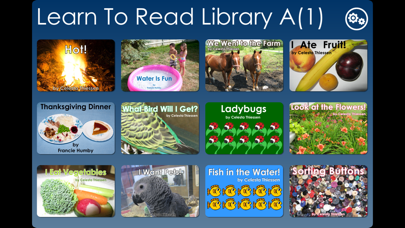
Level A(1) Library - Learn To Read Books contains twelve Level 1 books.
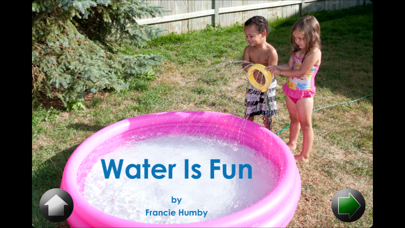
Books at Level 1 are very simple books. One sentence (with very slight changes) is used throughout a given book. This repeating language pattern allows children to use memory in their first attempts at reading. As well, the more often a child reads a particular word, the more secure the connection between that word’s appearance and its meaning becomes. The close correspondence between text and pictures, found in Level 1, also helps beginning readers experience success. Level A books are designed for children who are just beginning to learn how to read –like children in Kindergarten or early Grade One or children who are learning English as an additional language.
Each book presents one story. When using any of our Learn To Read Books, the beginning reader should place his/her finger just below each word and then point to each word in succession while reading. Tapping just below any word causes the word to light up and allows the child to hear the word spoken aloud. The words have been recorded in Manitoba, Canada. If words are pronounced differently in the country/region where you live, simply use the custom recording feature and record the words in your own voice. Custom recorded audio can be transferred to any of our "Learn To Read" iOS/Mac apps. The transfer can be done using email or iTunes file sharing.
Also included in the Learn To Read Library are high-frequency word flashcards for each story. We suggest that these sight words be practiced before a story is attempted. If a child has difficulty with a word, he/she can simply touch the word to hear it!
Since words in both the sight words section and the story can be tapped to be heard, it is possible for a child to practice the words and read the story without assistance from a teacher or parent. To turn the sound off, simply toggle the physical mute switch on the device.
To learn to read, children need:
1. to learn letter sounds;
2. to memorize high-frequency sight words;
3. to read books at their level.
Through the use of Learn to Read Books and a letter-sound app such as "Z is for Zebra", these three key components of learning to read can be taught and practiced on an iPhone, iPod Touch, or iPad.
The