PrintDirect for iPhone

PrintDirect for iPhone Summary
PrintDirect for iPhone is a with in-app purchases iOS app in Business by EuroSmartz Ltd. Released in Mar 2011 (15 years ago). It has 225 ratings with a 4.04★ (good) average. Based on AppGoblin estimates, it reaches roughly 1K monthly active users and generates around $<10K monthly revenue (100% IAP / 0% ads). Store metadata: updated Apr 8, 2026.
Store info: Last updated on App Store on Apr 8, 2026 .
4.04★
Ratings: 225
Screenshots
App Description
Set up your printer to print from your iPad. PrintDirect will print to ALL printers. Print directly to most WiFi/Wireless printers without additional software. Print to ALL printers and any document type via your Mac/PC, over a local network or mobile data.
You can print.. √ Emails √ Attachments √ Web pages √ Documents √ Contacts √ Calendars √ Cloud server files and much more.
Our support team are ready to help around the clock if needed.
Prove that you can print to any printer for free. Upgrade to unlock all of the features below...
FULLY FUNCTIONAL PRINTING
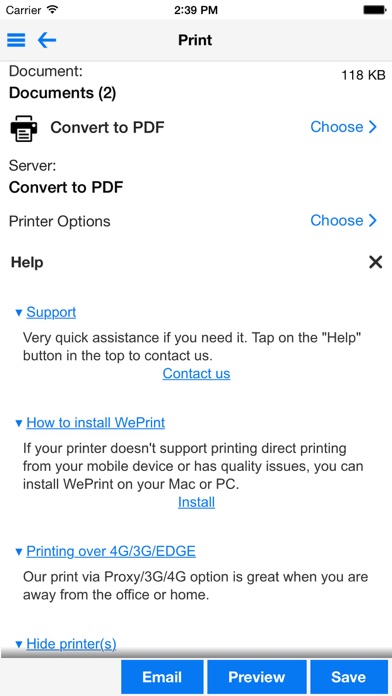
• Print to ALL printers (Network/WiFi/USB/Bluetooth) via your Mac or PC or direct to most WiFi printers without additional software. Also print to Apple AirPrint printers.
• Print from Pages, Numbers, Keynote or Safari extremely quickly & easily without the need for an AirPrint printer using Open in
• USB & Bluetooth printers can be used with free print server software (Windows & Mac)
• Print from other Apps using "Open in"
• Print remotely via Mobile Data
• Print using ALL the same document formats to ALL printers used by your Mac/PC
DOCUMENTS ON YOUR IPAD
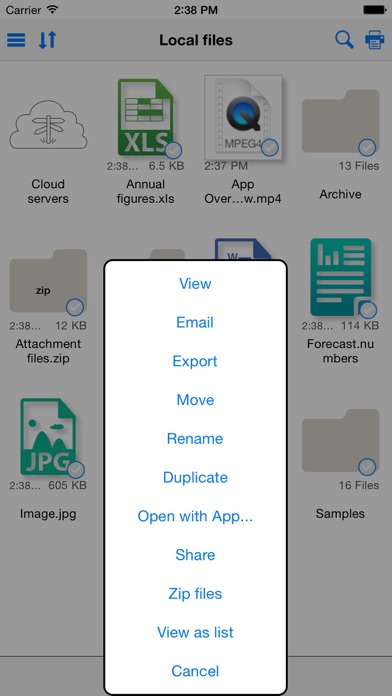
• Print/Store PDFs, documents, attachments, emails & images
• Convert files/docs/web pages to PDF
• View/Print, iWork, Pages, Numbers, Keynote, MS Office files
• Zip/Unzip files
• File sharing with several Macs and PCs, even remotely
WEB PAGE PRINTING
• Browse and print web pages to ALL printers
• Save web pages as an image for attaching to email
• Convert web pages to PDF documents for sharing
• Import bookmarks from your computer
• Store passwords and clear history/cache
• Multiple tabs for splitting up browsing
CLOUD SERVICES (IDISK, WEBDAV, DROPBOX, BOX.NET, SUGARSYNC, SHAREFILE, GOOGLE DRIVE etc.)
• Move/Print documents on your iPad from your Cloud account
• Move files to/from your iPad by connecting to Cloud account
• Full sync with Evernote
FULL FEATURED EMAIL APP
• Email files, photos, web pages & formatted text
• Full email field search - even across multiple email accounts
• Print email
• Send and Receive emails from your own email accounts
• View multiple email accounts in single inbox or on their own
• Supports most email account types, including Exchange 2007 OWA, & some Exchange 2003 servers
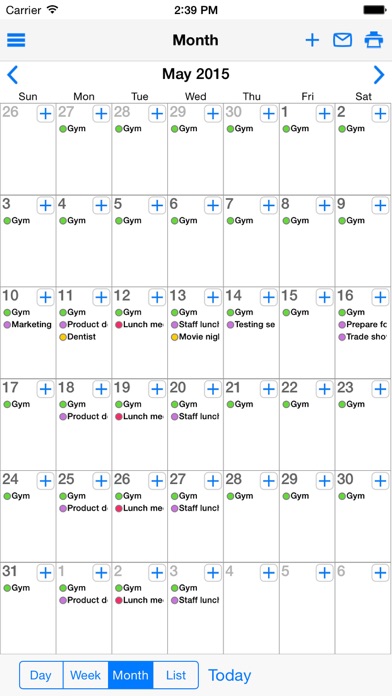
CALENDAR VIEW/PRINT
• Print/View Day/Week/Month calendar as well as re