DM1 - The Drum Machine
DM1 - The Drum Machine Summary
DM1 - The Drum Machine is a with in-app purchases iOS app in Music And Audio by Fingerlab. Released in Jul 2011 (14 years ago). It has 192 ratings with a 4.53★ (excellent) average. Based on AppGoblin estimates, it reaches roughly 508 monthly active users and generates around $<10K monthly revenue (100% IAP / 0% ads). Store metadata: updated May 6, 2026.
Store info: Last updated on App Store on May 6, 2026 .
4.53★
Ratings: 192
Screenshots
App Description
As electronic musicians ourselves, we, at Fingerlab, have developed DM1 with the intention of delivering the perfect mix between fun playability and powerful sonic capacities. We always keep in mind the importance of a beautiful design with the right balance of powerful abilities while avoiding clumsy, overbusy interfaces.
Check our 154 electronic drum kits. 42 classic vintage drum kits plus 112 in-house produced electronic kits, edited and mastered at Fingerlab professional studio.
DM1 offers 5 main sections:
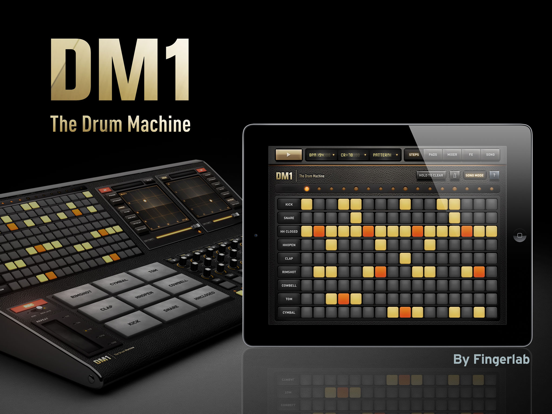
1 - THE STEP SEQUENCER frees your imagination with a smart use of the multi-touch screen. Just turn on and off steps in your sequence with the tip of your fingers to create cool beats, or unexpected rhythms!
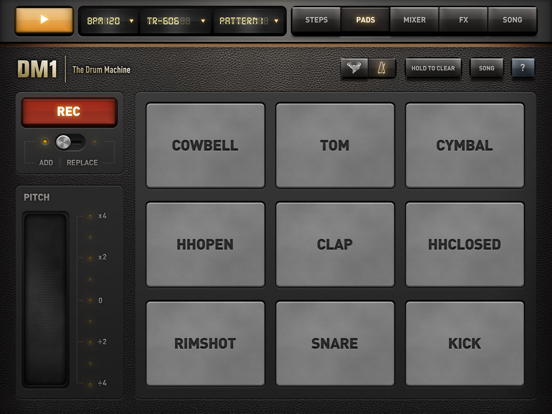
2 - THE DRUM PADS simply lets you play and record the beat that tickles your fingers. No need to be a first-class drummer, automatic quantize does the work for you.
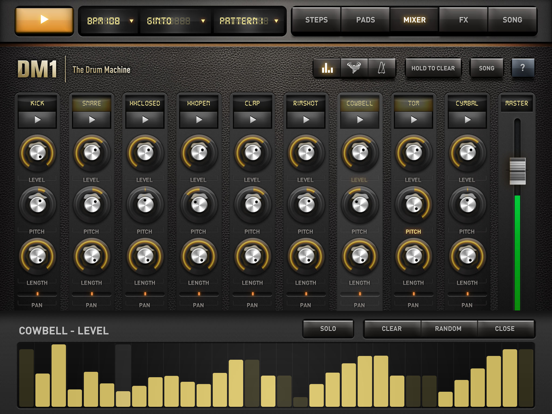
3 - THE MIXER for quick and subtle sound mixing of your drum kits. Featuring settings for volume, pitch, sample length, custom drum kit element for each channel, mute and solo mode.
4 - THE FX TRACKPADS a creative duo of FX trackpads to distort, modulate and transform your beats. The effects include: Overdrive, Delay, Reverb, Envelope follower, Phaser, Dub Delay, Formant, Texturizer, Robotizer, Filter, Dalek filter, Compressor and Noise Gate.
5 - THE SONG COMPOSER allows you to quickly make a song with the beat patterns you have created. Just drag and drop the patterns onto the timeline. Fast and easy.
Specifications:
• Retina Display
• Graphic design by Jonas Eriksson
• Smart ergonomy for fast creativity and fun
• 108 vintage and produced drum kits, mastered at in-house Fingerlab Sound Studios
• 48 additional drum kits available with In-App Purchases
• Instrument mode allowing to add bassline, chord and melody
• 3 instruments: Piano, Korg MicroPreset and Cello Strings
• 3 other instrument (Clavinet, Marimba, MiniLogue) are available with In-App Purchases
• Samples Import from AudioShare, iPod Library, microphone, DropBox, AudioCopy and iTunes shared folder
• Step Sequencer with multi-touch matrix
• Time signature
• 16 or 32 Steps per patterns
• Mixer page with pitch, length and level rotary controls, pan controls, choke and custom drum kit per channel
• Automation Panel for a precise and intuitive control of any Mixer parameter over time