Cricket Coach Plus HD

Cricket Coach Plus HD Summary
Cricket Coach Plus HD is a mobile iOS app in Sports by Zappasoft Pty Ltd. Released in Apr 2011 (14 years ago). It has 5.00 ratings with a 3.80★ (average) average. Based on AppGoblin estimates, it reaches roughly 21 monthly active users . Store metadata: updated Dec 6, 2022.
Store info: Last updated on App Store on Dec 6, 2022 .
3.8★
Ratings: 5.00
Screenshots


App Description
Video Analysis for Cricket - Anyone Anywhere Anytime
RECORD | COMPARE | IMPROVE your Cricket skills
Cricket Coach Plus HD is an easy to use, technique development tool for Cricket - a powerful video coaching app enabling cricket coaches to provide beginner to elite players with immediate visual feedback during training sessions and competition. No requirement for expensive cloud services and all your videos are available for export to anywhere you want.
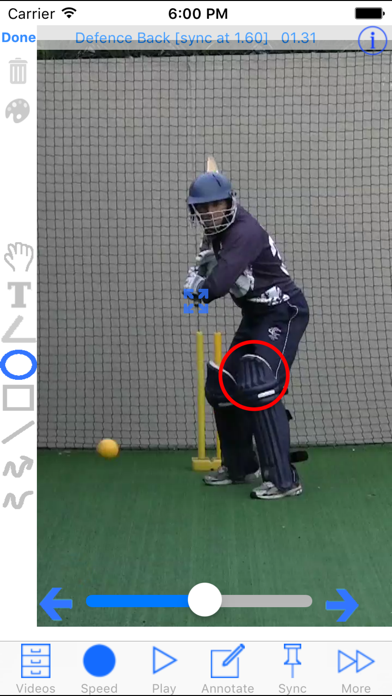
RECORD - Coaches, assistants, teachers or parents can record HD video and then provide players with technique analysis by replaying their batting, bowling, throwing and fielding action in real time, slow motion and frame by frame. Feedback can be recorded onto a new video or built as a PDF coaches report with key images and annotations.
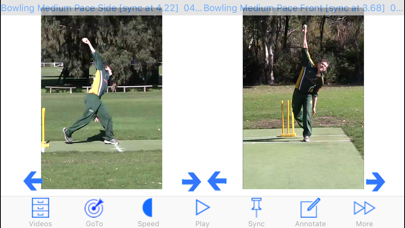
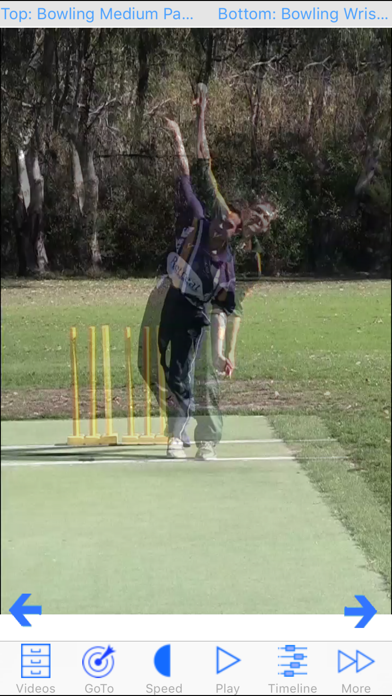
COMPARE - Performance improves when we are able to observe and compare. Players observe the finer points of their cricket technique then compare with the technique demonstrated in other video clips using the side by side and overlay video display features.
IMPROVE - Being able to observe a technical issue which becomes clear once a player's own clip is played alongside a reference clip or being able to observe the 'before and after' clips for a player who is applying a change their coach has recommended provides the visual evidence and motivation needed for sustainable change and improvement.
Create new super slow motion videos of single, dual or overlay clips with voice over and drawing annotations included.
Extensive FAQs included in the app explain the app's recording and video display options.
The app's integrated file sharing capability means that large numbers of video clips can be managed by shifting them to and from a computer and the recording device.
MAJOR FEATURES SUMMARY
• 27 cricket reference video clips for comparison
• records user clips in HD with selectable frame rate to 120fps
• imports clips from camera roll, Dropbox and Sugarsync
• up to 8 times realtime digital video zoom while recording
• renames, trims, splits, emails and deletes user clips
• option to produce low resolution clips when emailing or uploading to Dropbox/YouTube/Facebook/Sugarsync
• enables replay, zoom in replay, coloured annotation, voice annotations, text annotations, measurement of angles and analysis of all clips
• Produce coaching reports as