Niko Home Control
Niko Home Control Summary
Niko Home Control is a mobile iOS app in Lifestyle by Niko n.v.. Released in Feb 2012 (14 years ago). Store metadata: updated Dec 13, 2017.
Store info: Last updated on App Store on Dec 13, 2017 .
0★
Ratings: 0
Screenshots


App Description
This app allows you to create a central and easy-to-use control system on your smartphone or tablet. The user-friendly interface gives the resident access to all the functions of the Niko Home Control installation, such as lighting, roll-down shutters, gates, heating and ventilation. Also information about the electricity, gas and water consumption will be displayed on the screen.
What do I need?
Niko Home Control is available in Belgium, the Netherlands, France, UK, Slovakia and Poland. A Niko Home Control installation with IP interface connected to your wireless home network is necessary for indoor control. For remote control, a Niko Home Control gateway needs to be installed between the IP interface and the local network. The installation needs to be upgraded using the Niko Home Control programming software version 1.4.5 (or more recent).
The minimum requirements for this app are iPhone 3GS, iPod touch 3rd generation, iPad 1 or iPad mini and iOS version 5.0.
Features:
• Automatic IP detection.
• Simulation mode possible.
• Control from outside your home if gateway available and account created.
• Automatic adjustment on the screen of your iOS smartphone or tablet.
• Automatic rotation of the screen.
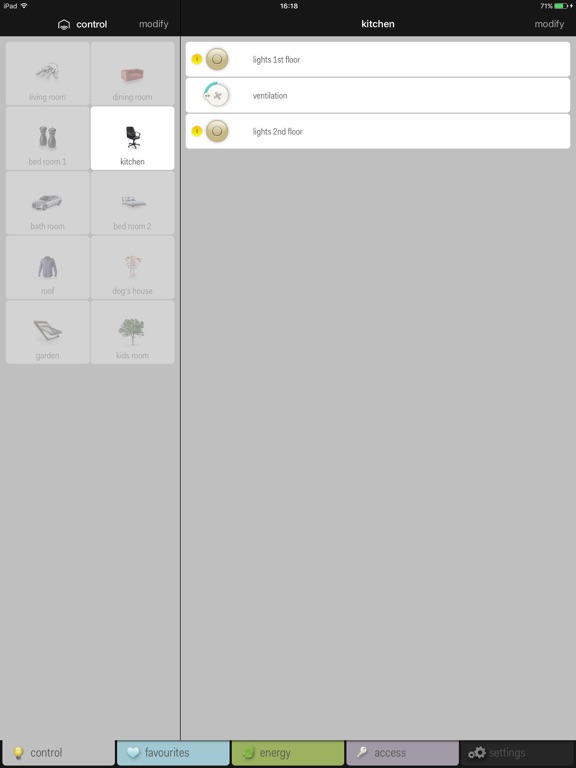
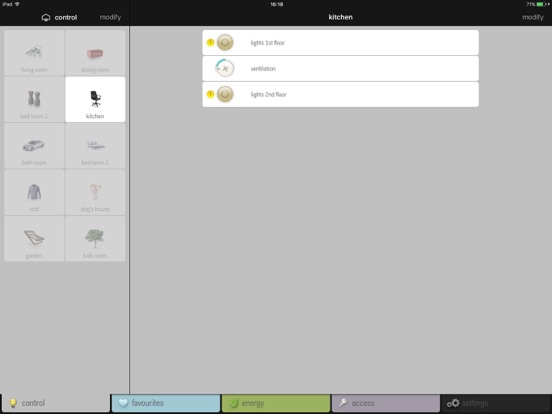
• Split window for tablets: manage your rooms on the left and control your installation on the right OR place two consumption readings next to one another.
+ Controls
All assigned/programmed actions are listed per location. Shuffle them around to prioritise your locations and actions. Change names or select a different symbol from the library. Remotely control your (dimmed) lights, ventilation, roll-down shutters, sun blinds or thermostat. Instant feedback.
+ Favourites
Select your favourite actions from the complete list of actions. The name of the selected location is indicated under the name of the action.
+ Energy
View your live energy consumption or the live yield of your solar panels. Check your historic consumption of electricity, gas or water or the historic yield of your solar panels. View on daily, weekly, monthly or yearly basis and immediately compare with the previous period. Convert to euros or pounds to view the related cost.
+ Settings
Check the notes and information of the installation, reset to the initial programming, modify your log-in data or view the support information.
Control your Niko Home Control installation whil