iTel Mobile Dialer.

iTel Mobile Dialer. Summary
iTel Mobile Dialer. is a ad-supported iOS app in Social Networking by REVE Systems (S) Pte. Ltd.. Released in Aug 2011 (14 years ago). It has 1.1K ratings with a 3.55★ (average) average. Based on AppGoblin estimates, it reaches roughly 3.4K monthly active users and generates around $<10K monthly revenue (0% IAP / 100% ads). Store metadata: updated May 19, 2026.
Recent activity: 1.00 new ratings this week View trends →
Data tracking: SDKs and third-party integrations were last analyzed on Mar 2, 2025.
Store info: Last updated on App Store on May 19, 2026 .
SDKs, Trackers & Permissions
iTel Mobile Dialer. was last scanned for SDKs 2025-03-02. Below is the overview of third party companies detected in the app. The full list of raw SDKs, app permissions and unknown SDKs is available here.
 Google
 nanopb
 Firebase
App Details
App Store
Ads & App-Ads.txt
AppGoblin SDK Scans
3.55★
Ratings: 1.1K
Screenshots


App Description
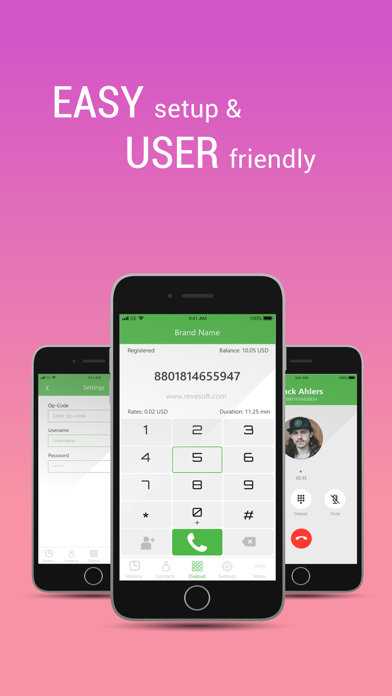
iTel Mobile Dialer Express is a mobile app for iPhone and other smartphones, offering a range of functionalities like VoIP Calls & SMSs, cross-OS Instant Messaging, automated Calling Card usage and much more from data enabled mobile phones (3G/4G or WiFi).
For using this app, end users will need an Operator Code, which they can obtain from a VoIP Service Provider. While Service Providers can use this White Label Platform to offer Mobile VoIP services in their own brand.
Features:
1 VoIP Calls & SMSs via Wifi, 3G / 4G, edge or UMTS.
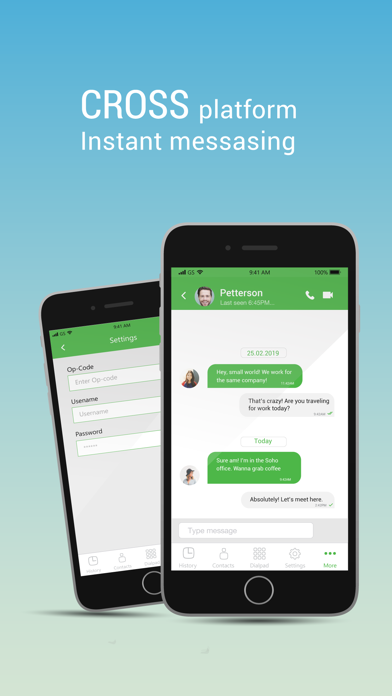
2 Cross-platform Instant Messaging – an iPhone user can chat with other platform’s users.
3 Easy Sign Up with Mobile Number as user ID & automatic Buddy List creation with facility to invite phonebook contacts to install the app.
4 Easy Calling Card usage – No need to dial Access Number, PIN or even Destination Number for making calls.
5 Facility to enable Mobile Top Up.
For Service Providers
iTel Mobile Dialer Express is available in all major OS Platforms and you can fully customised & brand it as per your requirements. For a free trial:
1.Register for a free Demo, with details of your softswitch(IP, Port) & we will send you a Demo Operator Code for testing the app on your own softswitch.
For End Users
You will be prompted for the following while starting the app:
1.Operator Code – Collect Operator Code from your VoIP service provider. If the Service Provider is using REVE platform, he will be able to provide a valid Operator Code. For assistance on finding a Service Provider please email us.
2.Mobile Number – to be entered with country code.
3.Password – Received via SMS / IVR after entering your mobile number.