iWriteMusic Pro

iWriteMusic Pro Summary
iWriteMusic Pro is a with in-app purchases iOS app in Music And Audio by iWriteMusicProject. Released in Oct 2011 (14 years ago). It has 673 ratings with a 4.67★ (excellent) average. Based on AppGoblin estimates, it reaches roughly 1.7K monthly active users and generates around $<10K monthly revenue (100% IAP / 0% ads). Store metadata: updated Sep 21, 2025.
Store info: Last updated on App Store on Sep 21, 2025 .
4.67★
Ratings: 673
Screenshots


App Description
Music Writing is easy and fun when you use iWriteMusic!
Experience the perfect harmony of ease and versatility in sheet music creation with iWriteMusic!
Say goodbye to complicated notation apps and hello to intuitive design.
Enjoy quick and beautiful sheet music creation with a comprehensive suite of essential tools for concerts, lessons, and music classes.
Best fit for professional musicians, music teachers and students. For songwriters, composers and arrangers. For both singers and instrumentalists (piano, violin, cello, guitar, flute, saxophone, trumpet, drums, etc.). Great for writing down ideas, creating lesson materials, creating lead sheets, or creating scores and parts for chorus groups, choirs, chamber orchestras, jazz bands, Latin bands, orchestras, and more. For daily practice, rehearsals, concerts, iWriteMusic will help you enrich your musical life!
Check out 7 reasons to choose iWriteMusic.
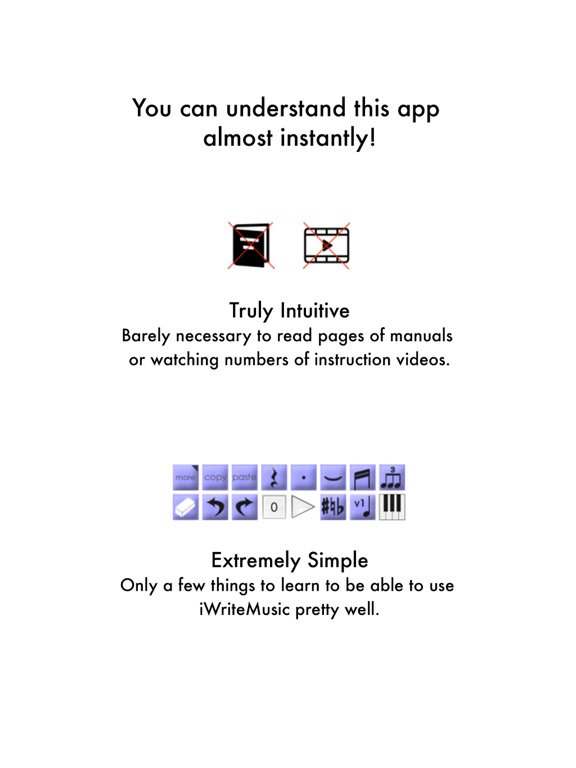
1. You can understand this app almost instantly!
Because of Truly Intuitive and Extremely Simple user interface, you barely need to read pages of manuals nor watching numbers of instruction videos. Unlike Finale, Sibelius and other similar apps, you just have a few things to learn to be able to use this app pretty well.
2.Double your productivity with our Highly Efficient Input System.
If you’re already familiar with notation apps and looking for faster & more efficient entry system, try our innovative One-Flick Entry System along with Traditional Entry System to get your job done in no time!
What is Traditional Entry System?
- The choices will appear with ToolBox.
- Select a value and the location separately.
- Recommended to those who are not yet familiar with any music notation apps.
What is OneFlick Entry System?
- The choices will appear when you touch the screen.
- Select a location and the value at once.
- The selection will change as you slide your finger to left/right.
- Recommended to those who are familiar with music notation apps and looking for faster and more efficient entry system.
3. Creates beautiful sheet music / music score
- absolutely professional quality!
- rich options for page layout adjustment
- easy parts creation
- easy score/parts management
- direct print-out via AirPrint
4. Supports most of major notation elements
- multi-track writing
- multi-voice writing
- percussion/drums notation
- chord symbols and lyrics
- mul