Picture the Sentence HD

Picture the Sentence HD Summary
Picture the Sentence HD is a mobile iOS app in Education by Hamaguchi Learning & Development, LLC. Released in Nov 2011 (14 years ago). It has 14 ratings with a 4.43★ (good) average. Based on AppGoblin estimates, it reaches roughly 8.00 monthly active users . Store metadata: updated Aug 16, 2024.
Store info: Last updated on App Store on Aug 16, 2024 .
4.43★
Ratings: 14
Screenshots

App Description
From theimums.com: "I think the developer has done a great job with this app – it is engaging, simple to use, is very adjustable allowing it to be used by students with a range of abilities, and has the ability to track settings and data from multiple students. All this for $9.99 – a real bargain!! Highly recommended!"
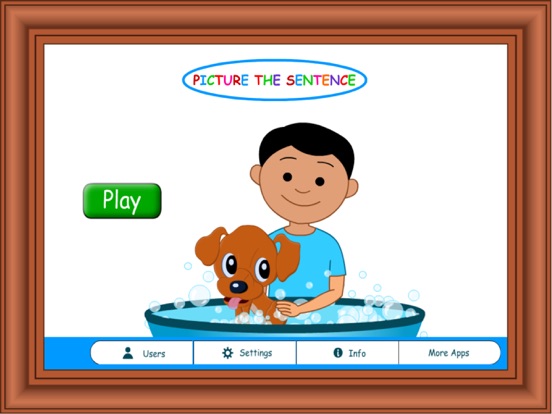
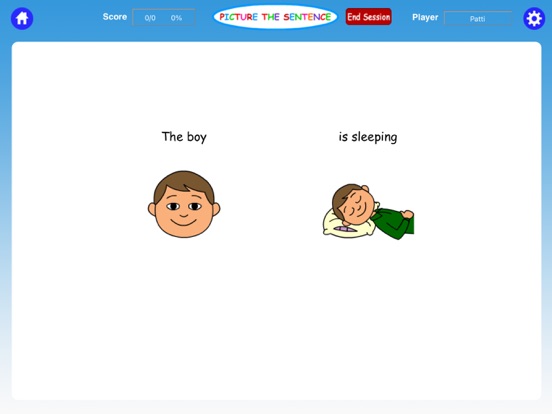
“She is eating an apple under the tree.” What does that sentence really mean? What would it look like? Picture the Sentence is an exciting app designed to practice language and auditory processing tasks at the basic sentence level. This app offers three different levels of difficulty so the child can learn how to attend to important elements of a sentence and “picture it,” attaching meaning to the words and eventually forming mental pictures without visual support. It is also an excellent choice for anyone who is trying to learn and understand the English language. **Turn the voice commands off and the text feature on, and this game can also be a great way to practice basic reading comprehension skills too!
We have incorporated a cute “Pick-a-Door” game, which can be selected at varying intervals so the user can take a break and have a little fun. The user opens each door until an animal comes out and says, "You found me!" Now also included "Pop a Bubble" reward game!
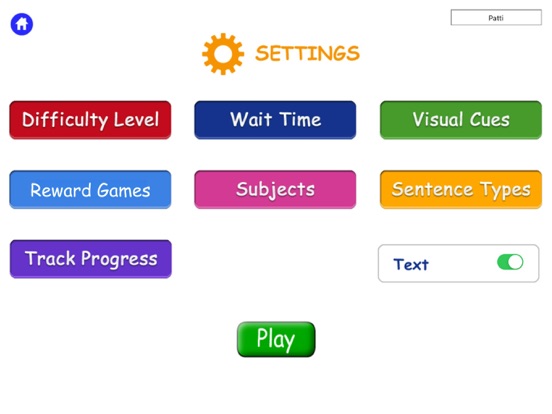
Options in the Settings Include:
• Choice of color drawing icons or stick figures
• Levels include: Easy (slow, with visual support staying on the screen) Intermediate (faster rate with pauses, with visual support flashing briefly on the screen) and Advanced (no pausing or visual support)
• Text on/Text off
• Choice of subjects: Pronouns (He/she/they) or nouns (boy/girl/children)
• Sandtimer (This delays the presentation of the picture choices so there is a greater challenge to the child’s working memory.) It is enabled in the "default" mode but can be easily turned off
• Sentence Types: Subject + verb, subject + verb + object, subject + verb + prepositional phrase, subject + verb + object + prepositional phrase
*Progress/Data tracker that allows you to collect and save data, email it or print it
*Select the number of choices
Hamaguchi Apps is dedicated to the mission of bringing high-quality apps to the general public and professionals for affordable prices.
*Please contact our tech support if you are experiencing any technical issues