WritePDF

WritePDF Summary
WritePDF is a mobile iOS app in Business by EuroSmartz Ltd. Released in Feb 2012 (14 years ago). It has 41 ratings with a 4.24★ (good) average. Based on AppGoblin estimates, it reaches roughly 215 monthly active users . Store metadata: updated Apr 9, 2026.
Store info: Last updated on App Store on Apr 9, 2026 .
4.24★
Ratings: 41
Screenshots

App Description
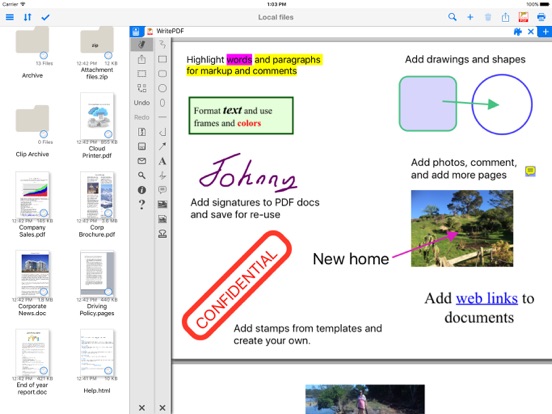
WritePDF is more than just a common annotation tool, it is a powerful PDF modification/printing tool that is usually reserved for computers. Move beyond ordinary PDF viewing, form filling, PDF modification & annotation. WritePDF is the first app that brings together both ease of use and the sophistication needed for managing PDFs, word files, spreadsheets and many other documents on the iPad. WritePDF is also the first app to be fully compatible with PDF readers on Mac & PC, any changes made to a PDF on an iPad will be reflected when opened on a computer and vice versa. With the most powerful PDF modification and viewing engine ever made, WritePDF stands heads and shoulders above the rest!
One of the most powerful and security focused features of WritePDF is the ability to read, convert and annotate PDFs in the Cloud without having to download them first. This means that you can keep all of your documents and files in the Cloud and access them on demand in a very secure environment when away from the office. It also give organisations control on documents and files.
WritePDF is created & bought to you by one of the top business app companies - with years of iOS app experience from 2008, EuroSmartz is unrivaled when it comes to apps for use in business.
- "Being able to quickly highlight text ready for revision is awesome"
- "The ability to search for a word or phrase over all of the PDFs & files I have without opening them is something I can't even do on my PC"
- "Form filling is made so easy with WritePDF, I have just applied for a new bank account using my iPad"
- "The ability to quickly access a document in the cloud and modify it is the #1 feature in my book"
- "I can now edit my PDF and print it to my old printer that is not AirPrint enabled, just magic!"
Main Features
√ Modifying PDFs
> Add arrows, circles, squares and other shapes to a PDF
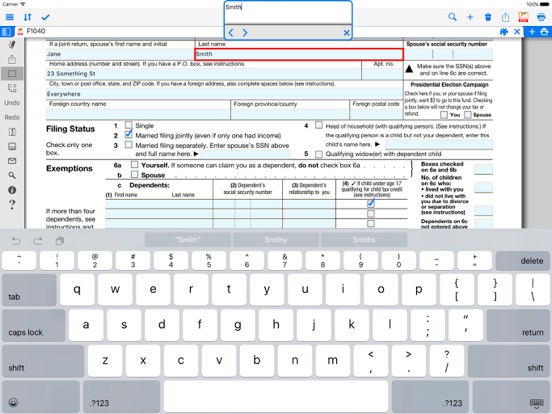
> Fill in PDF forms & add text
> Use Highlighter to highlight single words or entire sections
> Add web page links to words or sections of text
> Transfer PDFs to & from other apps using "Open in.."
> Fully compatible with most PC, Mac & iOS App PDF viewers, shows all changes
> Insert pictures to a PDF
> Quickly & seamlessly transfer PDFs or files from Pages, Numbers or Keynote using Open in
√ Global Search
> Search for keywords or phrases in ALL files stored within WPDF without opening th