NoteLedge - Mood Board & Notes

NoteLedge - Mood Board & Notes Summary
NoteLedge - Mood Board & Notes is a free, with in-app purchases iOS app in Productivity by Kdan Mobile Software LTD. Released in Jan 2012 (14 years ago). Store last updated Jun 20, 2024
NoteLedge - Mood Board & Notes SDKs Summary
App not yet scanned for SDKs.
0★
Ratings:
Screenshots


App Description
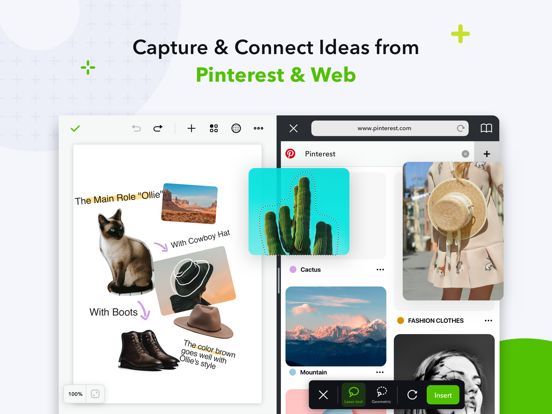
NoteLedge is a digital notebook for designers and creatives to quickly capture inspiration and organize everything in one place. Discover ideas from Pinterest, web pages, YouTube, Vimeo, or your surroundings, save clips to your notes and add your thoughts. NoteLedge streamlines your creative process, allowing you to connect the dots and get creative in the flexible workspace.
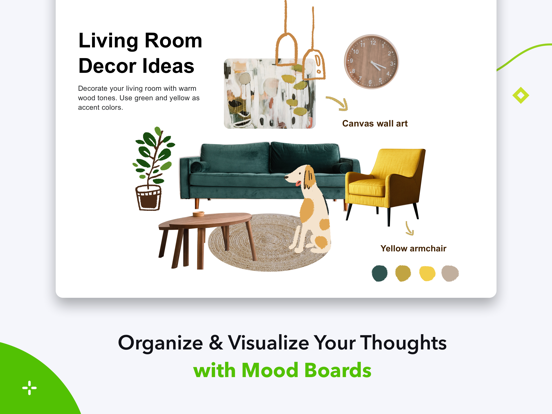
Create mood boards or collages to play around with content and visualize your thoughts. Draw, outline, and make quick design sketches with a variety of brushes for designers. Present work straight from your smart device or share notes in PDF format with audio and video included. Communicate ideas with your team or clients efficiently multimedia aids. NoteLedge is the best note-taking app for creative projects including interior styling, home decor, product design, fashion design, character design, and more!
AWARDS & RECOGNITION
- Featured as “Perfect with Apple Pencil,” “Amazing Apps for iPad Pro,” and “Easy Note-taking” on the App Store
- Designated app for iPad program at Monbulk College, Australia & Special Education School in Tokushima, Japan
KEY FEATURES
CAPTURE IDEAS QUICKLY
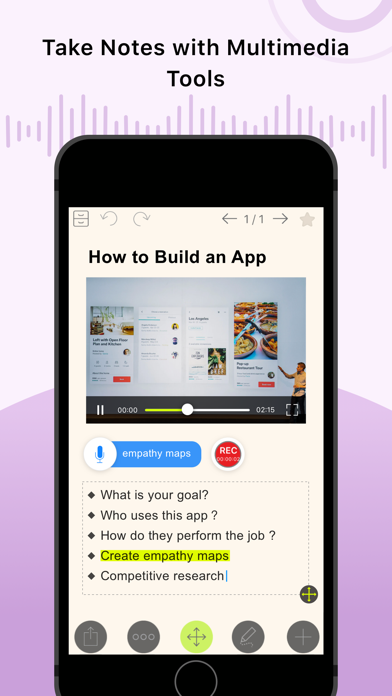
- Record audio, add photos, or insert videos
- Web Clipper – Clip images, texts or screenshots from Pinterest and websites with easy drag and drop (iPad only)
- Clip videos from YouTube & Vimeo, and take notes while you’re streaming videos (iPad only)
- Type anywhere and stay organized with bullet points and checklists
EMPOWER YOUR CREATIVITY
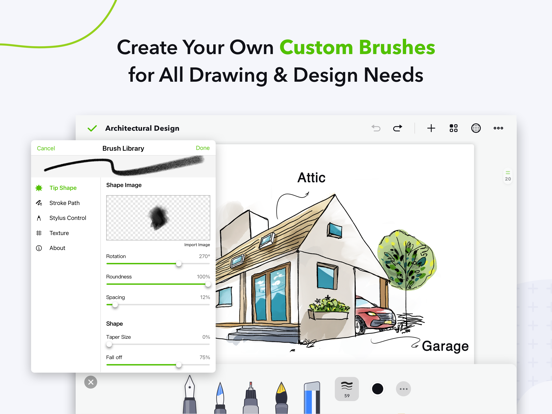
- Draw, outline, sketch, or color with a variety of brushes for designers and creators*
- Create custom brush tips and modify the effects* (iPad only)
- Get colors from a photo and generate stunning color palettes in seconds* (iPad only)
- Customize fonts with your own handwriting*
- Make mood boards, design boards, idea boards
- Create collages by cutting out images and arranging layers
- Get creative with a variety of stickers and covers*
- Select note paper for Cornell notes, planner, lined paper, graphic paper, and more (iPad only)
- Customize note paper with your own photos (iPad only)
- Stylus support: Apple Pencil, Adonit, Wacom Bamboo, and Pogo Connect 2
SYNC, MANAGE & SHARE
- Export notes to PDFs with audio and video included*
- Auto-sync to multiple cloud storages, including Kdan Cloud, iCloud, Dropbox, OneDrive, and Goog