Cal2Todo branch

Cal2Todo branch Summary
Cal2Todo branch is a free, ad-supported, with in-app purchases iOS app in Productivity by Yasuko Shikiuchi. Released in Mar 2012 (14 years ago). It has 3.00 ratings with a 2.33★ (poor) average. Based on AppGoblin estimates, it reaches roughly 4.00 monthly active users and generates around $<10K monthly revenue (27% IAP / 73% ads). Store last updated Jan 18, 2022
Cal2Todo branch SDKs Summary
App not yet scanned for SDKs.
2.33★
Ratings: 3.00
Screenshots


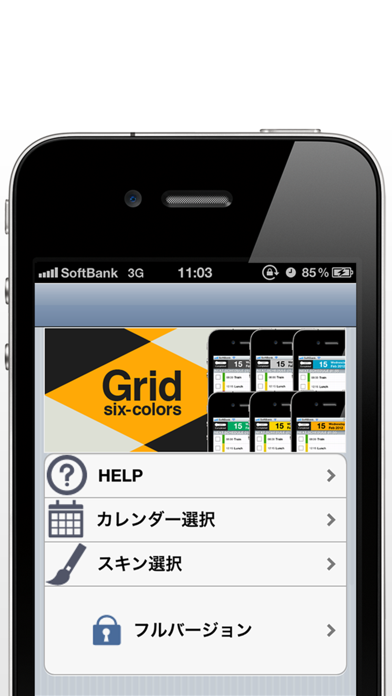
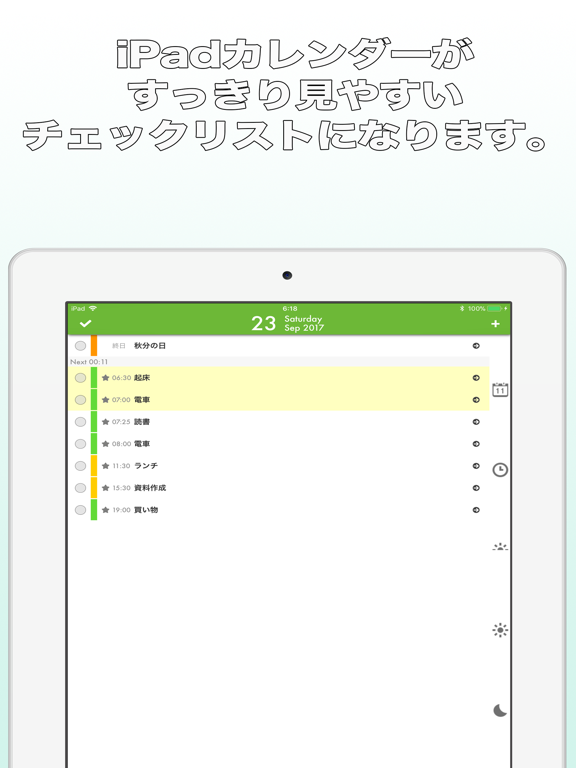
App Description
THINK-OUT-OF-THE-BOX Calendar app - PROCRASTINATION MADE EASY!
-Your EVENTS now appear as your TASKS.
-You will never forget your appointments using this app.
-You can push tasks back later.
-It has an Intuitive design allowing you to quickly look at the day's agenda.
-You can use Google calendar as well, if your built-in calendar is synced with Google calendar.
Who will benefit most from this app?
-Users who want only one integrated app to control their schedules rather than two separate apps (scheduler and todos).
-Users who usually procrastinate and sometimes forget to do things.
-Users who want to finish everything before going to bed.
Convenient 4-day view
-Fully compatible with the built-in iPhone calendar.
-You access your recent appointments by tapping the buttons at the bottom of the screen.
-Can display a count-down timer for your next appointment or event.
-Colorful screen - pick different colors for different calendars
Basic usage
-Home screen has today's agenda.
-When you finish events, you check them off. Once checked, it goes into the background.
-Items in red are overdue. Items in yellow are upcoming appointments (Less than an hour)
-Most importantly, when you realize that you do not have time to do something, hit PROCRASTINATE. Don't worry, It will come back in a couple of days!!
Items can be deffered from 15 mins to 2 weeks. These settings are fully customizable.
- Today update the date as of today
- Tomorrow update the date as of tomorrow
- Next week update the date as the same day next week
- Morning update the time for the next few mornings.
- Afternoon update the time for the next few afternoons.
- Evening update the time for the next few evenings.
- 1hr later push back 1hr
- 3hrs later push back 3hrs
- 5hrs later push back 5hrs
- and more!
Miscellaneous
-The button on the top-left of your screen will toggle items to be visible/invisible.
-You can edit your items on this app and the changes will appear on the original built-in calendar.
-You can delete items by swiping & tapping.
-You can select the calendar(s) of your choice.
Note:
-This calendar only focuses on the next four days (yesterday, today, tomorrow, and the day after tomorrow)
-The app retains the "Check ON/OFF" data by tagging the item with an ID. Some apps might change this ID. If that is the case, Cal2todo might not work properly.
-This app only communica