Baby Animals Jigsaw Learning

Baby Animals Jigsaw Learning Summary
Baby Animals Jigsaw Learning is a free iOS app in Puzzle by 猛 杨. Released in Sep 2012 (14 years ago). It has 2.2K ratings with a 4.30★ (good) average. Based on AppGoblin estimates, it reaches roughly 2.9K monthly active users . Store last updated Mar 27, 2020
Baby Animals Jigsaw Learning SDKs Summary
Baby Animals Jigsaw Learning was last scanned for SDKs on 2026-05-19. No known SDKs were detected. Check the raw list of SDK parts detected here and feel free to request unknown SDKs be added to AppGoblin.
4.3★
Ratings: 2.2K
Screenshots


App Description
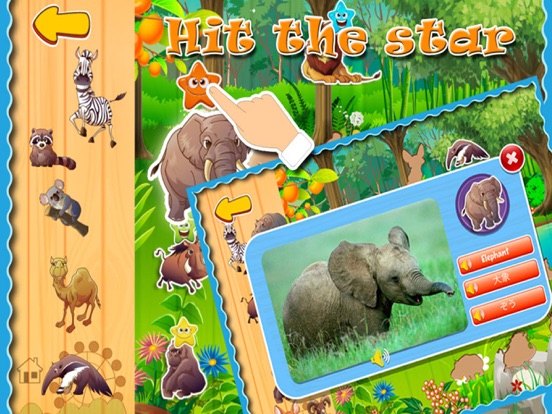
Baby Loves Animals is a funny app built for children from age 2 - 12. If you are looking for something entertaining but also educational for your kids, Baby Loves Animals is the perfect for you!
Completely with 100 different animals for your kids to enjoy. Definitely the best animals flash cards available!!! Watch your children as they quickly learn & recognise each animal’s name & sound - Enjoy remarkable animation technology and view beautiful jungle wildlife, farm and sea animals, pets, birds and other endangered species for the whole family to enjoy.
What’s Inside:
1 Animals - Fun to learn names & sounds - interactive activity
2 Jigsaw game - Fun and easy play for kids
3 Three different languages and pronunciations:English, Chinese and Japanese
4 Tap & learn - spelling and pronunciation - interactive activity
5 Real photo and cartoon style photo includes
We recommend that you upgrade your device to the most recent iOS version before installing this app.
- NO SOUND?
If the sound isn't working, make sure the mute switch is turned off, activate the application, then turn up the volume and the sound will work.
(you can find the mute switch and volume button at the side of your iPad/iPhone/iPod Touch).