Soundcraft ViSi Remote

Soundcraft ViSi Remote Summary
Soundcraft ViSi Remote is a free iOS app in Music And Audio by Harman Professional, Inc.. Released in Jun 2012 (14 years ago). It has 300 ratings with a 2.62★ (poor) average. Based on AppGoblin estimates, it reaches roughly 723 monthly active users . Store last updated Nov 18, 2025
Soundcraft ViSi Remote SDKs Summary
App not yet scanned for SDKs.
2.62★
Ratings: 300
Screenshots
App Description
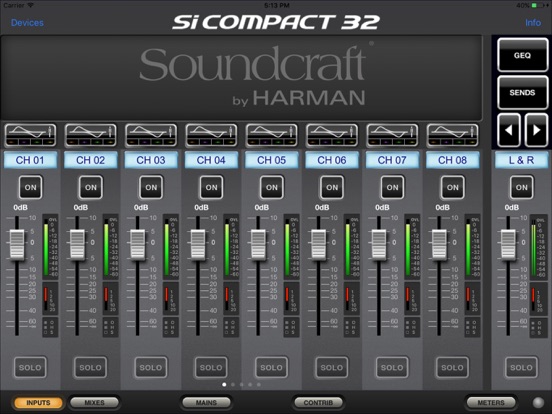
Soundcraft ViSi Remote 3.6.2 is an iOS application that allows remote control of Soundcraft Vi, Si Compact, Si Performer, Si Expression and Si Impact mixing consoles wirelessly from an iPad device using no additional hardware other than a wireless router connected to the Harman HiQnet® Ethernet port of the console.
With ViSi Remote you are free to roam the venue and adjust mixes and other audio parameters directly from the iPad.
Applications:
• Optimise the front of house mix from anywhere in the room
• Set mic gains and 48V from the stage
• Adjust monitor levels while standing next to the artist
• Adjust channel strip settings remotely from the console
• Use to extend the fader count of an existing control surface
• Use in standalone (demo) mode for familiarisation with console functions
• Control a network of consoles, e.g., FOH and Monitor
• Provide a separate surface for DMX functionality (Si Performer only)
• Allow multiple users on the same console to control their own mixes
• Have a global metering overview or “meter bridge” as an extension of the console
ViSi Remote 3.6.2 Console Minimum Software Requirements:
(Latest software is available on the Soundcraft website)
Si Impact: V1.0 build 0010 or higher
Si Performer: V1.6 build or higher
Si Expression: V1.6 build or higher
Si Compact: V3.0 build or higher
Vi1/2/4/6: V4.9 or higher
Vi200: V6.4 or higher
Vi400/600: V6.3 or higher
Vi1000: V6.3 or higher
Vi2000: V6.3 or higher
Vi3000: V6.3 or higher
Vi5000/7000: V6.3 or higher
Note: For Vi & Si consoles, the latest software listed above is needed in order to access the full channel processing and metering functions. Older software versions would result in basic functionality with fader, mute, mix, and GEQ settings only.
Mute group functionality is only supported on Si V2.2 build1 or higher and on Vi V6.4.5.340 or higher.
ViSi Remote 3.6.2 iOS Compatibility:
iOS 12.0 or higher.
Functions controlled:
• Channel naming
• Input faders and mutes
• Bus, Master LR & Mono (C) and VCA master faders and mutes
• Channel strip settings, including:
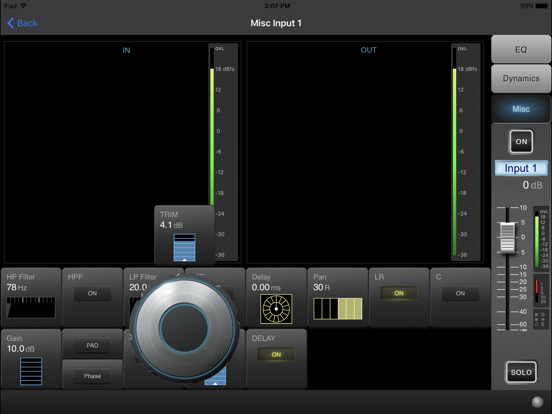
- Mic Gain, Digital Trim, and 48V
- Phase Invert
- HPF & LPF (HPF only on Si consoles)
- Delay
- Channel EQ with grabbable parametric EQ curve
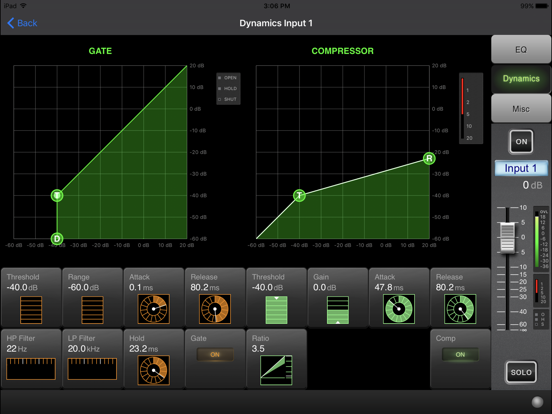
- Gate and Compression settings
- Pan
- LR and Mono (C) bus routing
• Graphic EQs on all bus outs
• Channel contri