Rainbow-Best cloud storage app

Rainbow-Best cloud storage app Summary
Rainbow-Best cloud storage app is a with in-app purchases iOS app in Productivity by i-SmartSolutions. Released in Jun 2012 (13 years ago). It has 9.00 ratings with a 2.93★ (poor) average. Based on AppGoblin estimates, it reaches roughly 26 monthly active users and generates around $<10K monthly revenue (100% IAP / 0% ads). Store metadata: updated Oct 24, 2022.
Store info: Last updated on App Store on Oct 24, 2022 .
2.93★
Ratings: 9.00
Screenshots




App Description
How amazing would it be if you could combine the available storage of each account into a single account with that large storage? You then would be able to upload large files, files that do not fit in the available storage of each account...
SmartCloud service: Combine your connected cloud accounts into a single account.
The Rainbow app can be used to :
- Connect to multi-accounts from the same cloud service
- Sync two folders, even if they are located in different accounts
- Backup on account to another.
- Copy one account to a folder in another account
- Share files with a single link from Box, Dropbox, Google Drive, MediaFire, OneDrive and SugarSync and for up to 11 days!!
- Search for a file in all linked cloud accounts
- Transfer files / folders from one account to a folder in another account or from one folder to another folder in the same account
- Amazing graphics and UX. Drag & Drop feature
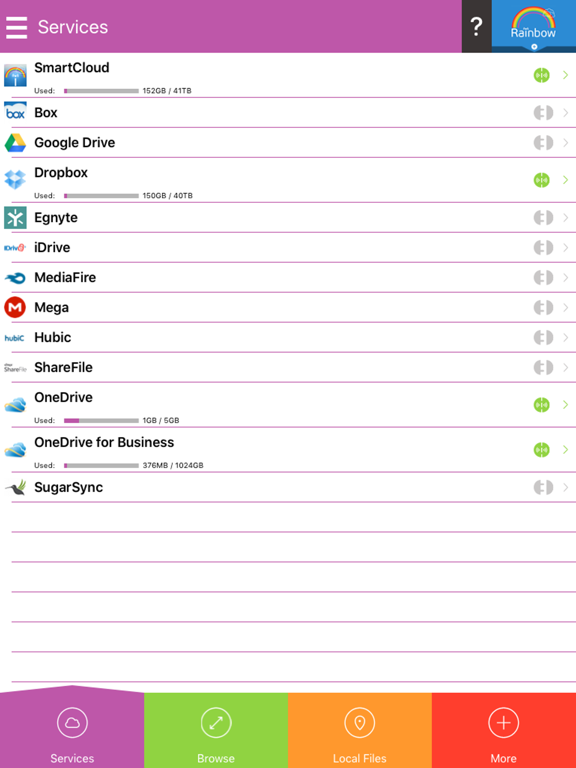
Rainbow supports the following twelve cloud services:
- Box
- DropBox
- Egnyte
- Hubic
- Google Drive
- iDrive
- MEGA
- MediaFire
- ShareFile
- OneDrive (old SkyDrive)
- OneDrive for business
- Sugar Sync
Furthermore, with the Rainbow app you can:
- Passcode protect your data
- Create and edit text files (simple text editor)
- Use the camera or the photo library to take pictures
- Use the camera or the video library to record video
- Create folders
- Rename files
- Copy and delete folders
- Share files over the Bluetooth device
- Email files
- Download files from the Internet and save me locally or on the cloud
- Copy an account to a folder in any account