Text2Pic: Poster & Quote Maker

Text2Pic: Poster & Quote Maker Summary
Text2Pic: Poster & Quote Maker is a with in-app purchases iOS app in Photo And Video by LatentApps Company Limited. Released in Jul 2012 (13 years ago). It has 7K ratings with a 4.48★ (good) average. Based on AppGoblin estimates, it reaches roughly 3.5K monthly active users and generates around $<10K monthly revenue (100% IAP / 0% ads). Store metadata: updated Apr 2, 2026.
Recent activity: 1.00 new ratings this week View trends →
Data tracking: SDKs and third-party integrations were last analyzed on Apr 12, 2025.
Store info: Last updated on App Store on Apr 2, 2026 .
4.48★
Ratings: 7K
Screenshots



App Description
To create a beautiful text design, it’s not just about which fonts are used. It’s about how fonts are combined and how text is structured so that they can perfectly fit together. It’s called typography.
Threads - Poster & Quote Maker App is a powerful typography generator that magically turns your text into amazing typographic designs with zero design skills needed. This would normally take minutes or even hours if you were using Photoshop or a similar photo editor.
USE QUOTE MAKER - POSTER MAKER TO
Design a greeting card — Quote famous people — Express your feelings — Promote an event — Market your real estate — Sell stuff on craigslist — Joke around — Caption your photos — Share your love — Celebrate a victory! — Encourage a friend — Create Threads, Instagram posts
HOW THE QUOTE MAKER - POSTER MAKER WORKS
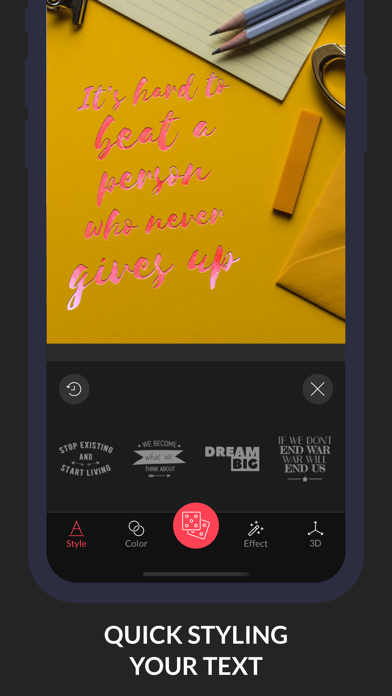
The app automatically generates a fresh design each time you tap on a style
• Select a STYLE. Then just tap, tap and tap again on this style to find your favorite random design.
• Generated styles are stored in a list of numbers (1 - 4). You can get back to a style by simply tapping on its referenced number.
• Want to manually rearrange text position? Just open Layer mode (the button next to the number list 1-4) for detailed editing
Main features:
STYLES
• 50 different text styles (more being added all the times!)
• Endless randomization for each style
• Layer Mode to manually edit text color, layout, font.
• Ability to add and remove art word
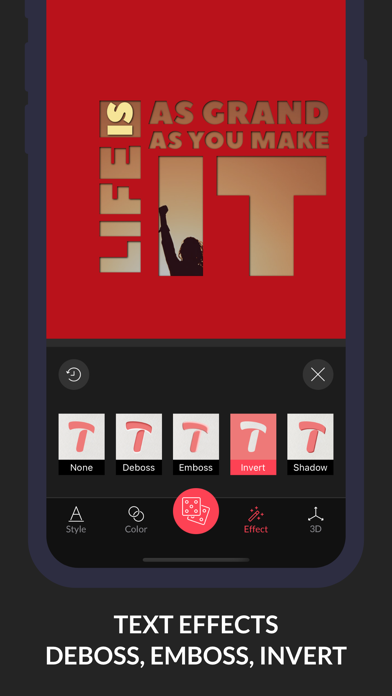
TEXT EFFECTS
• Stunning distorted 3D text rendering
• Gold foil, watercolor and gradient text effects
• Invert mode
• Eraser tool to gradually delete parts of text - useful for placing the text designs behind other elements in your photo.
IMAGES
• Thousands of completely free stock photography from Pixabay
• Professional photo filters
• Support background blur in 3 modes: all, radial and linear
• Tint your photo with color or make a solid color background
• Add your own logo/watermark
• Support native resolution output
◉ QUOTE MAKER - POSTER MAKER PRO
Quote Maker - Poster Maker Pro offers two subscription options:
$4.99 Monthly
$29.99 Yearly
Prices may vary by location.
Should you choose to upgrade to a Pro subscription, payment will be charged to your iTunes account at confirmation of purchase. Subscription automatically renews unless auto-ren