PDF Max
PDF Max Summary
PDF Max is a with in-app purchases iOS app in Productivity by Mobeera. Released in Aug 2012 (13 years ago). It has 1.5K ratings with a 4.46★ (good) average. Based on AppGoblin estimates, it reaches roughly 4.4K monthly active users and generates around $<10K monthly revenue (100% IAP / 0% ads). Store metadata: updated Oct 3, 2022.
Recent activity: 1.00 new ratings this week View trends →
Store info: Last updated on App Store on Oct 3, 2022 .
4.46★
Ratings: 1.5K
Screenshots
App Description
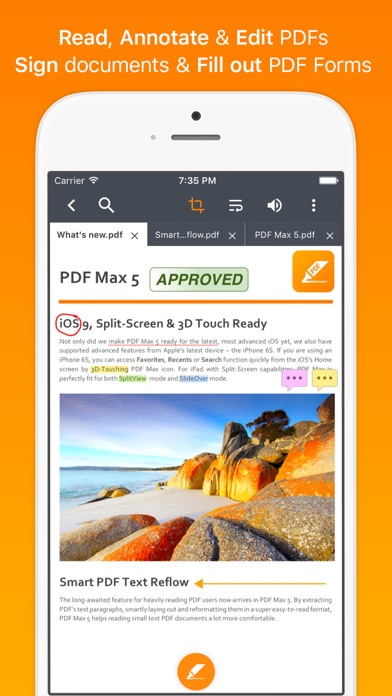
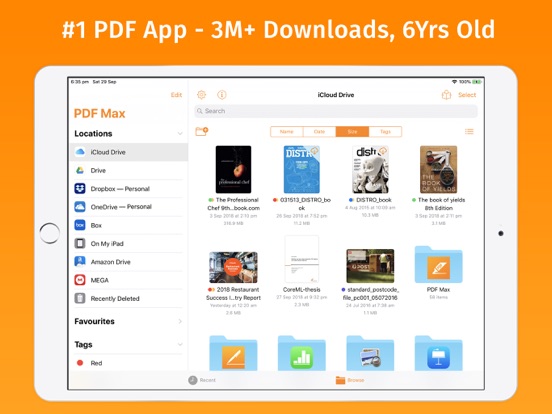
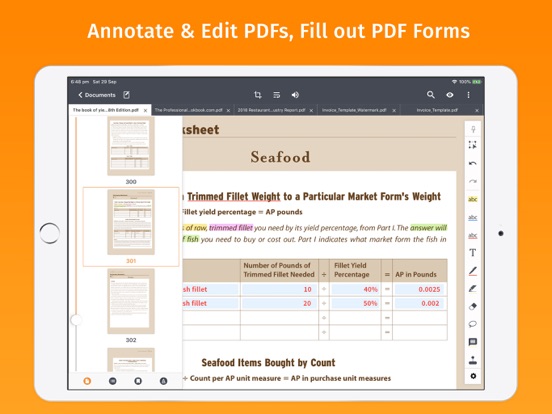
PDF Max is a desktop class PDF app for reading, annotating or signing PDF documents on your iPhone/iPad. Mark up documents with highlights and handwriting, insert texts and stamps, fill out, sign PDFs and even manipulate PDF pages. With over 3 million downloads across platforms, PDF Max helps hundred thousands of people over the world to go paperless everyday.
PDF Max Features:
* READING FEATURES
- Smooth and responsive even with large PDF documents
- Smooth vertical scrolling - allow you to scroll through your entire PDF document smoothly and efficiency.
- Open documents in multiple tabs.
- Multi-purpose SideBar includes everything you need to skim through your documents like never before: Page Thumbnails, PDF Outlines/Bookmarks, Annotation List & Search Panel.
- Smart Zoom: Double-tap on text blocks and PDF Max will zoom the touched text block to fit the screen. Simple & efficient reading.
- Friendly & Easy to use User Interface
* ANNOTATING FEATURES
- Text markup: Highlight, Underline, Strike out & Squiggle
- Unlimited threaded comments (notes) attached to any annotation.
- Create VOICE ANNOTATIONS: Record and embed voice annotations within the PDF document.
- HANDWRITING with Advanced Zoom-In Writing feature
- Eraser tools to manipulate your handwriting
- Shape tools to draw Line, Arrow, Rectangle & Oval with intelligent snapping
- Rich format Freetext tool to type over PDF pages
- Stamp tool to insert Predefined, Standard Business Stamps & Custom Stamps
- Signature tool to manage and insert your signatures
- Undo/Redo function to correct your mistake
- Save and organize your favorite tools and access them quickly when needed.
- Easy to scroll document while annotating with one finger or stylus pen with optional Horizontal and Vertical ScrollBars
- Smart caching mechanism to avoid data loss.
* EDITING FEATURES
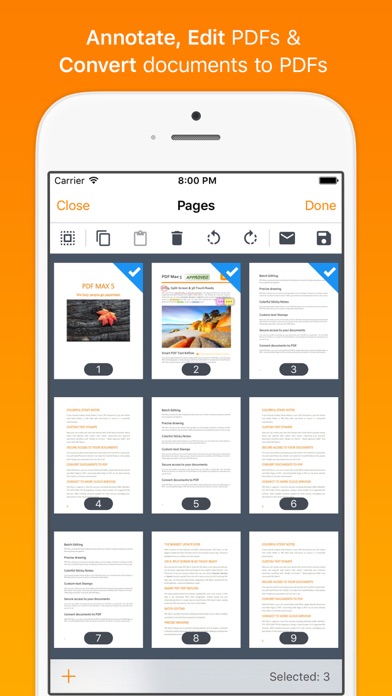
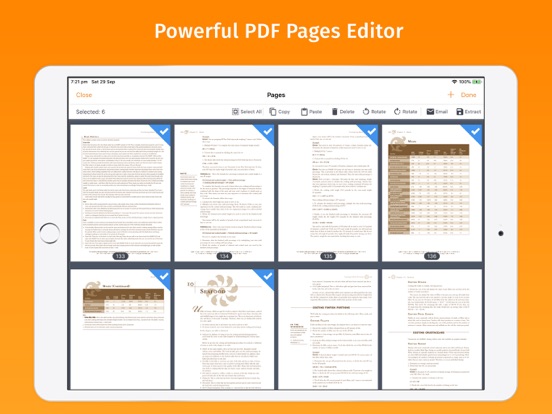
- Manage PDF Pages (Insert, Copy/Cut/Paste, Reorder & Delete PDF Pages)
- Manage PDF Outlines (Table of Contents) , PDF Embedded Links
* FORM-FILLING FEATURES:
- Support Text field, checkboxes, radio buttons, dropdown list, buttons & date-time fields
- Support JavaScripted-powered PDF forms
- Support AcroForms & Static XFA Forms
- Zoom-in writing to fill out scanned/non-interactive PDF forms
- Manage your signature plus one-time signature for customer
* PDF OUTLINE, PDF LINK & BOOKMARK MANAGEMENT FEATURES
- Create and manipulate PDF Outlines