Spectral Eye

Spectral Eye Summary
Spectral Eye is a free iOS app in Music And Audio by Secret Base Design. Released in Aug 2012 (14 years ago). It has 139 ratings with a 4.87★ (excellent) average. Based on AppGoblin estimates, it reaches roughly 343 monthly active users . Store last updated Jan 25, 2017
Spectral Eye SDKs Summary
App not yet scanned for SDKs.
4.87★
Ratings: 139
Screenshots
App Description
The sound that you hear is made up of vibrations at different frequencies. Two instruments, such as a guitar or a trumpet, might play the same note -- what makes them sound different are the harmonic frequencies that combine to make the overall tone.
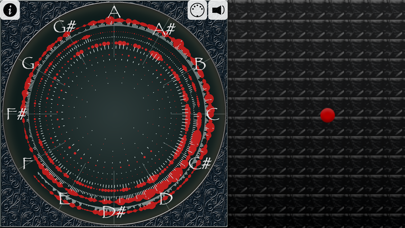
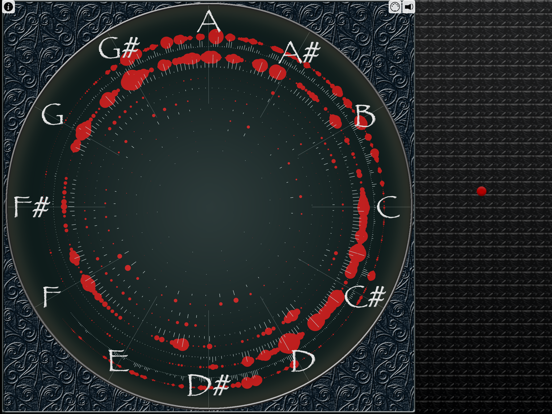
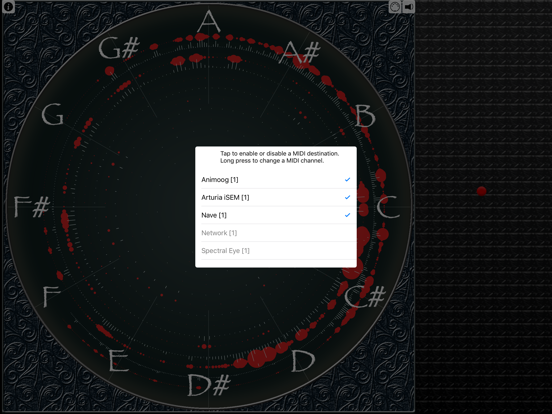
Spectral Eye will reveal these frequencies, so you can see what your sounds are made from. Using a Fast Fourier transform, incoming sound is split into individual sine waves, which are then displayed on the screen. Frequency spectrum displays are not uncommon; what makes Spectral
Eye different is the arrangement of the frequencies into a spiral, so that octaves line up as rays coming from the center.
The `concert pitch' of A is a vibration at 440 cycles per second. One octave above this is a doubling to 880, and an octave below is 220. On the Spectral Eye display, these frequencies fall into a line. You can see the structure clearly on the display as you make different kinds of sounds or play music. The stronger the frequency, the larger the red dot and white line; the size of the dots on the display scale to show the relative
frequency strengths clearly.
When you pluck a string on a guitar, the string will vibrate at a root frequency, but also at a frequency that is twice that of the root, as well as a number of different multiples. The resonant frequencies are what make different guitars sound unique. Harmonies between the frequencies of multiple notes are what make chords sound interesting. As the tone
of a synthesizer note changes, you can see different component frequencies rise and fall.
In addition to displaying the frequencies, you can also generate sound using Spectral Eye; we have included a simple synthesizer, which will generate either a pure sine wave, or a sine wave with an additional frequency a fifth above. Move the control on the right or bottom
part of the screen to change the tone, and touch the main display and move in a clockwise or counterclockwise manner to change the pitch.
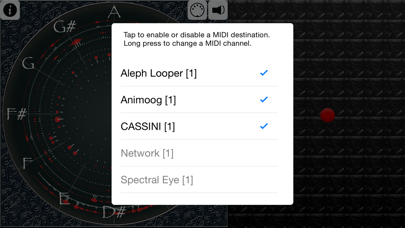
The version of Spectral Eye also includes MIDI; you can start a MIDI synthesizer, and then use the Spectral Eye display to trigger notes. There are dozens of excellent synthesizers available; you can use this app to not only play them, but to see how their sounds are formed. And if you're trying to pick out the notes to a song, you can watch the display to see where the notes land.
Spectral Eye is free