MoviePro - Pro Video Camera

MoviePro - Pro Video Camera Summary
MoviePro - Pro Video Camera is a with in-app purchases iOS app in Photo And Video by Deepak Sharma. Released in Aug 2012 (13 years ago). It has 2.2K ratings with a 4.41★ (good) average. Based on AppGoblin estimates, it reaches roughly 1.1K monthly active users and generates around $<10K monthly revenue (100% IAP / 0% ads). Store metadata: updated Apr 20, 2026.
Recent activity: 1.00 new ratings this week View trends →
Store info: Last updated on App Store on Apr 20, 2026 .
4.41★
Ratings: 2.2K
Screenshots
App Description
MoviePro is a professional video recording app that unlocks advanced camera capabilities on iPhone and iPad. Designed for beginners and professionals alike, MoviePro delivers precise control over video, audio, and color — far beyond the standard Camera app.
With support for high-end codecs, manual controls, live monitoring tools, and external accessories, MoviePro turns your device into a production-ready camera.
Capture With Precision
• Wide range of video resolutions, from 4K to low-resolution formats
• Extensive aspect-ratio support, including cinematic and anamorphic ratios
• Frame rates from 240 fps down to 1 fps
• Adjustable bitrate and compression levels
Supported Codecs
• HEVC and H.264
• ProRes 4444, ProRes 422, HQ, LT, and Proxy*
Advanced Color Support
• Rec.709, P3, BT.2020, and Apple Log*
• Log recording on supported iPhone Pro models
• Dolby Vision HDR*
Professional Camera Controls
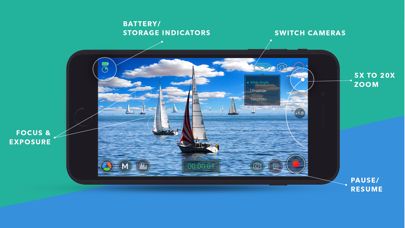
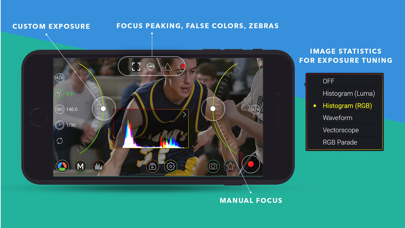
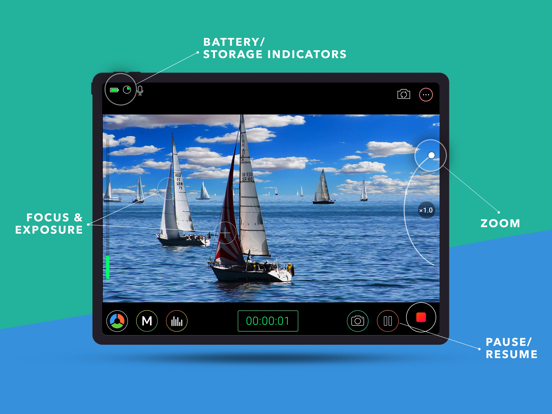
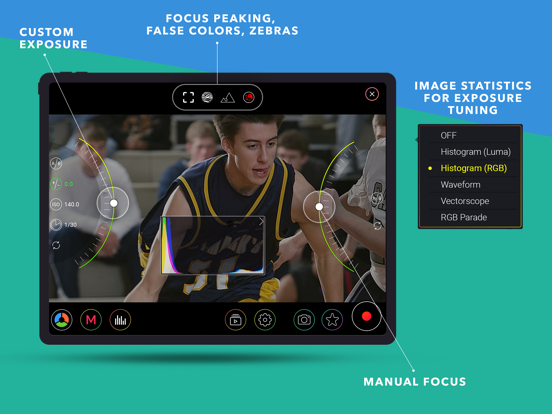
• Manual focus, exposure, and white balance
• Separate focus and exposure reticles
• Focus pull support
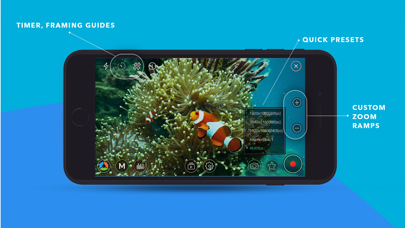
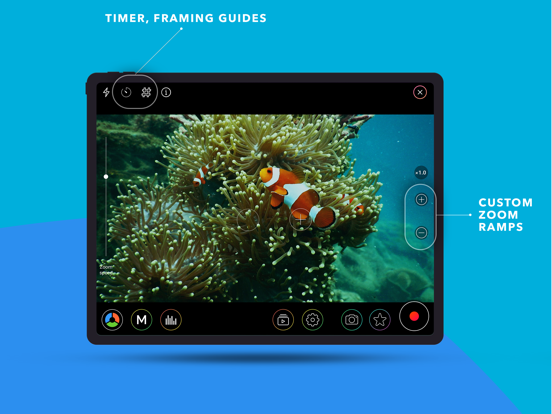
• Up to 20× zoom with adjustable zoom speed
Stabilization & Camera Features
• Extended cinematic video stabilization modes
• MultiCam recording with multiple layout options*
• Center Stage support on compatible iPads
• Portrait Effect with front camera**
Advanced Audio Recording
• Built-in, external, and Bluetooth microphone support
• AirPods support
• Stereo audio recording
• Mic gain control for external microphones
• Live audio monitoring
• Real-time audio meters
Live Monitoring & Assist Tools
• Histogram, Waveform, and Vectorscope
• Focus peaking
• Zebras, False Colors, and clipping indicators
Output, Storage & Workflow
• Record directly to Camera Roll
• Record to the Files app or external storage
• Clean HDMI / AirPlay output
• Upload directly to YouTube or Dropbox
• AirDrop via Files app
• iTunes File Sharing
Power Features
• Custom recording presets
• Battery saver mode for long sessions
• Configurable recording duration
Designed for Production Use
• Lock interface orientation
• Hide controls with or without reticles
• Composition guides
• Countdown timer
Accessory Support
• Clean HDMI / AirPlay output
• Popular gimbals
• Moondog Labs anamorphic lenses
• 35mm image flip support
Metadata
• Location tagging
• Copyright information embedded in video file