Showbie

Showbie Summary
Showbie is a free, with in-app purchases iOS app in Education by Showbie Inc.. Released in Aug 2012 (13 years ago). It has 1.4K ratings with a 3.43★ (mixed) average. Based on AppGoblin estimates, it reaches roughly 1.2K monthly active users and generates around $<10K monthly revenue (100% IAP / 0% ads). Store last updated Jul 23, 2026
Recent activity: 1.00 new ratings this week View trends →
SDK intelligence: AppGoblin detected 2 development tools(e.g. Sentry.io), 1 business tools,and 1 analytics: product integrated into Showbie. View full SDK list →
Showbie SDKs Summary
Showbie was last scanned for SDKs on 2026-06-26. Below is the overview of third-party companies detected in the app. The full list of SDKs, permissions and unknowns is available here.
 Sentry.io
 Amazon
 Intercom
 Amplitude
3.43★
Ratings: 1.4K
Screenshots




App Description
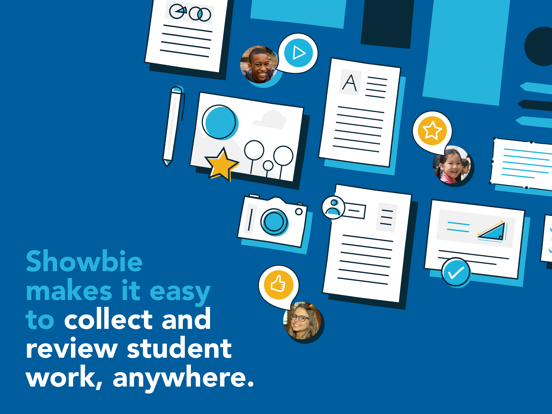
Used by over 3 million teachers and students worldwide, Showbie is the easiest and most effective digital learning app to personalise assignments and feedback on iPad.
DNA of Learning: Your Foundation for Student Success
Showbie supports the improvement of everyday teaching and learning by elevating four essential strands of effective classroom practice - direct instruction, independent practice, personalised feedback and real-time assessment - all in one platform.
Find out how easy it is to assign, collect and review student work from thousands of compatible iPad apps, or have your students complete assignments with Showbie’s built in tools. Provide rich feedback using digital ink, text and voice annotations right on images and PDFs, and then add your students’ best work to personalized digital portfolios that can be securely shared with parents.
WHAT EDUCATORS ARE SAYING
“Showbie is my number one can't live without app! It makes the iPad workflow process a breeze! I especially love how it works seamlessly with so many other apps.”
— Kristen Paino, Lead Technology Integrator at Avenues: The World School
“I don't need to convince my colleagues that they need to use this app — it sells itself. I like that it gives me the flexibility in how I choose to grade my student's work, especially with the voice notes feature. There is no single third party app that I would rather champion.”
— Suzanne Lustenhouwer, Teacher and iPad Coordinator, Apple Distinguished Educator
“I love that Showbie is so versatile that the youngest of students can use it independently, yet it is appropriate for older grades as well. The ease of use makes it a great workflow solution for classes with iPads.”
— Kristi Meeuwse, Kindergarten Teacher, Apple Distinguished Educator
KEY FEATURES FOR TEACHERS & STUDENTS
• Share work from thousands of compatible iPad apps in a few taps
• Use the pen tool and pin text notes directly on any PDF or image
• Gauge class understanding in real-time with minute-by-minute assessment
• Instantly differentiate assignments and materials to specific students
• Quickly distribute instructions and materials to your whole class
• Chat privately with individual students to provide timely feedback
• Record voice notes for verbal feedback or language exercises
• Quickly review and assess batches of student work and provide r