Baby Rattle Toy and Child Lock

Baby Rattle Toy and Child Lock Summary
Baby Rattle Toy and Child Lock is a paid iOS app in Games by Kiddoware. Released in Sep 2012 (14 years ago). It has 1.1K ratings with a 4.35★ (good) average. Based on AppGoblin estimates, it reaches roughly 1.3K monthly active users . Store last updated Jul 12, 2026
Baby Rattle Toy and Child Lock SDKs Summary
App not yet scanned for SDKs.
4.35★
Ratings: 1.1K
Screenshots


App Description
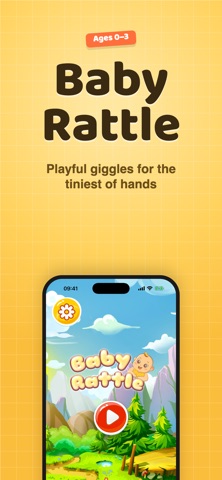
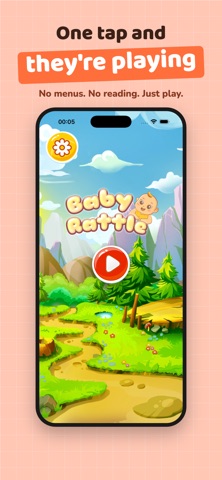
Baby Rattle Toy with Child Lock turns your iPhone or iPad into a colorful rattle-style toy for babies, infants, and toddlers. With bright animations, gentle sounds, and simple touch-and-shake interactions, it gives little ones an easy way to enjoy sensory play during supervised screen time.
Designed for young children, Baby Rattle includes playful themes with moving objects, sound effects, and visual patterns that respond to taps and device movement. Parents can also use Child Lock using Apple Guided Access to help keep the device in a single app during use.
Baby Rattle is great for keeping babies and toddlers amused at home, while traveling, during waiting time, or whenever you need a simple interactive baby toy.
Baby Rattle Features:
• Colorful rattle-style animations for babies and toddlers
• Gentle sound effects triggered by taps and movement
• Simple touch interaction for early hand-eye coordination play
• High-contrast black-and-white theme for newborn visual stimulation
• Auto-play animation that can be restarted with a simple shake
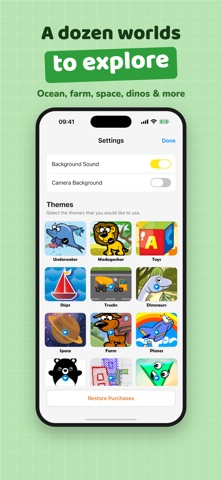
• 12 different rattle styles with different sounds and animations
• Works on iPhone and iPad
• Optional Camera Overlay Mode uses the camera only as a live background while rattle objects animate on top
• Includes parent instructions for using Apple Guided Access
Included Themes:
• Airplanes
• Animals
• Colors — introduce kids to basic colors
• Contrast — high-contrast patterns for newborn visual stimulation
• Easter
• Letters — introduce kids to English letters
• Shapes — introduce kids to basic shapes
• Ships
• Toys
• Trucks — construction trucks and vehicles kids love
• Camera Overlay Mode
• And more playful rattle styles
About Camera Overlay Mode
Camera Overlay Mode uses the device camera only as a live background on the screen while animated rattle objects appear on top. Camera access is used only locally on the device while this feature is active.
About Child Lock / Guided Access
Baby Rattle includes instructions for using Apple Guided Access, an iOS accessibility feature that helps parents keep the device in a single app during supervised use.
To enable Guided Access:
Open the device Settings app
Go to Accessibility
Tap Guided Access
Turn Guided Access on
Open Baby Rattle
Triple-click the side button or Home button to start Guided Access
Baby Rattle is