Chronic Pain Diary Lite

Chronic Pain Diary Lite Summary
Chronic Pain Diary Lite is a free iOS app in Medical by Ben Delaporte. Released in Nov 2012 (13 years ago). It has 1.00 ratings with a 3.00★ (mixed) average. Based on AppGoblin estimates, it reaches roughly 4.00 monthly active users . Store last updated Jan 18, 2017
Chronic Pain Diary Lite SDKs Summary
App not yet scanned for SDKs.
3★
Ratings: 1.00
Screenshots
App Description
Chronic pain symptoms are tough. But tracking them should be easy.
Track your pain with symptom, treatment and note tracking, a color coded calendar, graphs, and quick and easy data entry.
Recording a new entry doesn't require longer than a few seconds; Chronic Pain Diary takes the pain out of tracking chronic pain.
Chronic Pain Diary allows you to name your treatments and symptoms. A few examples of the many possibilities: back and hip pain, pain relief, chronic pain, Lyme symptoms, Lupus symptoms, Fibromyalgia, and depression symptoms.
* Tap just a few times, then get back to your day. This app focuses on streamlining how you journal your health
* Tap in an entry name, optional entry notes, entry type (treatment, symptom or note), rating from 0 - 10, and a time stamp
* Create multiple profiles, each with a separate calendar and entry tracking
* Reuse up to 3 previously entered symptom and treatment names to quickly log new entries
* Sort entries alphabetically or by usage
* Color coded symptom lists display low and high ratings
* Color coded calendar displays high ratings of each day for symptoms and treatments
* Symptoms are 'red', treatments are 'green', with dynamic color blending on the calendar and in lists
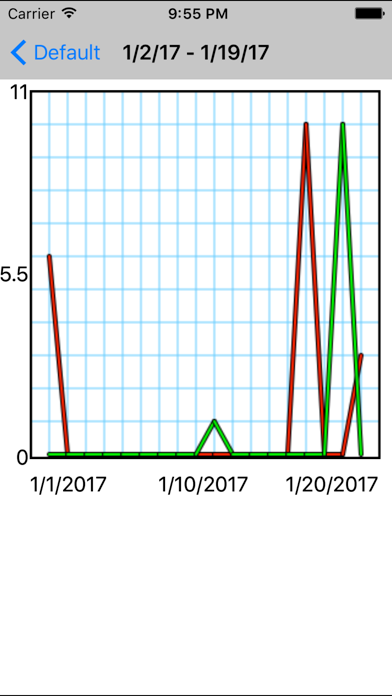
* Graph individual days, showing high and low points by rating and time stamp
* Graph multiple days by dragging a touch across the calendar to display high points for all days in a given range
* Toggle entry display of symptoms and treatments, optionally omitting entries from graph images and calendar images
* Watch a user guide video