WorldScan HD - Scan Documents

WorldScan HD - Scan Documents Summary
WorldScan HD - Scan Documents is a free, ad-supported, with in-app purchases iOS app in Business by Xiamen Worldscan Information Technology Co., Ltd.. Released in Nov 2012 (13 years ago). It has 18 ratings with a 4.39★ (good) average. Based on AppGoblin estimates, it reaches roughly 90 monthly active users and generates around $<10K monthly revenue (22% IAP / 78% ads). Store last updated Dec 12, 2024
WorldScan HD - Scan Documents SDKs Summary
App not yet scanned for SDKs.
4.39★
Ratings: 18
Screenshots


App Description
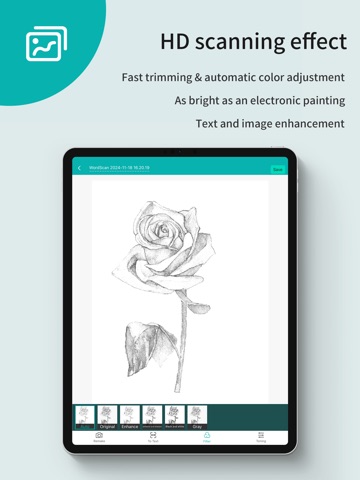
Scanner App Scan ererything into clear & sharp image/PDF.
With Scanner app, you can rapidly scan documents, and convert them into PDF format, as well as save them or send them by email, Print and save to cloud.
* Scan documents, photos, receipts, or just about anything.
* Batch mode combines multiple scans into a single PDF.
*Adopting advanced and fast algorithm, Scanner App use Advanced color processing algorithms remove shadows, correct perspective and distortion, making your scans as readable as possible.
*With powerful and easily operated interface, Scanner app can fast and simply adjust brightness, rotation and color through one click on one page.
Scanner app features:
1. Mobile Scanner ----scan and manage your document that may include multipage.
2. Fast scan in batch----scan continuously in batch without process waiting, which is fast and convenient.
3. Automatic side cut----utilize professional image processing algorithm to automatically help you cut the images.
4. Image enhancement----ensure document is clear and readable.
5. Text Recognition (OCR) ---- OCR (optical character recognition) feature extracts texts from single page for further editing or sharing.
6. Multi-sized PDFs----more than 10 PDF sizes are available (Letter,A4,B5, etc).You can customize the size or use self-adaption mode.
7. Save image to image library----conveniently process images so as to save them to image library.
8. Email----send your documents (PDF) or processed images by email.
9. Add Header----seach page of document may add headers, which can be searched.
10. Custom category----set custom category for your document to achieve convenient management and search.
11. Multiple browse modes----support browse modes, such as list and document-categorization.
12. Copy----support function of document copy to achieve convenient document management.
13. Search----Fast locate documents by searching document headers, page headers, etc.
***********************************************************
VIP Subscription Instructions:
1. Subscription cycle: 1 quarter, 1 month, 6 months,1 year,1 week
2. Subscription price: ¥58 for continuous quarterly subscription, ¥28 for continuous monthly subscription,¥9 for continuous weekly subscription, ¥68 for continuous every 6 months subscription,and ¥198 for continuous annual subscription
3. 24 hours before the exp