Between the Lines Level1 Lt HD
Between the Lines Level1 Lt HD Summary
Between the Lines Level1 Lt HD is a mobile iOS app in Education by Hamaguchi Learning & Development, LLC. Released in Nov 2012 (13 years ago). Store metadata: updated Aug 14, 2022.
Store info: Last updated on App Store on Aug 14, 2022 .
0★
Ratings: 0
Screenshots

App Description
Hamaguchi Apps for Speech, Language & Auditory Development presents a groundbreaking iPad app designed for upper elementary students and older, who would benefit from practice interpreting vocal intonation, facial expressions, perspective-taking, body language, and idiomatic or slang expressions. Using real photographs, voices and short mini-video clips of a variety of social situations and expressions, this app provides a dynamic way to help learn and practice interpreting messages that are “between the lines” and simply can’t be replicated with worksheets and static flashcards.
Check out our demo video on Youtube: https://www.youtube.com/watch?v=rRy4QF1E1Y8
This is Level 1 Lite, which presents content that is a perfect introduction to our Between the Lines app series. This lite app provides 12 samples of each of the three activities for a total of 36 tasks and is for a single user only. (The full version provides 204 total tasks)
This app uses American expressions and body language.
There are three activities in this app:
1. Listening: The user hears a voice speak a sentence, e.g., “Ewww!” A question is then asked, “Who said it?” The user is shown a series of photographs. Depending upon the settings selected, there can be 2, 3 or 4 choices shown. The user touches the correct facial expression that matches the voice.
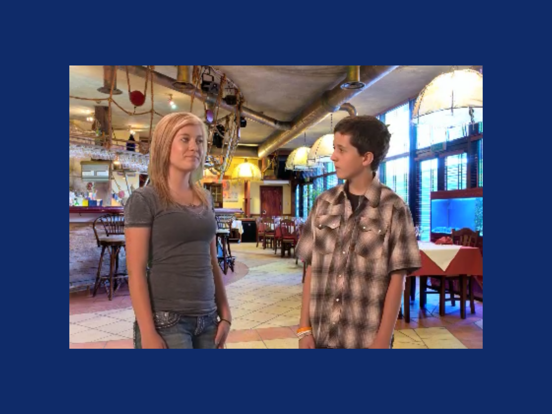
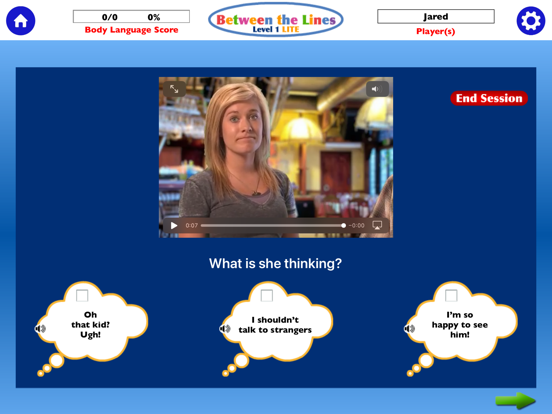
2. Body Language: A very short video-clip is shown that depicts an interaction or situation. For example, a family is shown at a restaurant. A friend walks up and says, “Hey, did you hear the news about Mr. Becker?” (smiling) The camera closes in on this woman and the narrator says, “What is she thinking?” The user’s task is to look at the choices of responses and select the one that matches the facial expression/body language.
3. Expressions: A very short video-clip is shown that depicts an actor speaking a sentence that contains an idiomatic or slang expression, e.g., “She’s kind of nosy.’” The user is then asked, “What does that mean?” Slang expressions that might be considered offensive ("that movie sucks") are included in a separate setting within the Activities tab. This is a new feature! They are not included in the default setting unless specifically selected.
The lite version is for a single user only. The percentage correct is reported for each user’s performance on each of the thre