Collect - Photo Journal, Diary

Collect - Photo Journal, Diary Summary
Collect - Photo Journal, Diary is a with in-app purchases iOS app in Photo And Video by Stuart Watson. Released in Dec 2012 (13 years ago). It has 2.2K ratings with a 4.60★ (excellent) average. Based on AppGoblin estimates, it reaches roughly 1.2K monthly active users and generates around $<10K monthly revenue (100% IAP / 0% ads). Store metadata: updated Feb 13, 2019.
Recent activity: 1.00 new ratings this week View trends →
Store info: Last updated on App Store on Feb 13, 2019 .
4.6★
Ratings: 2.2K
Screenshots
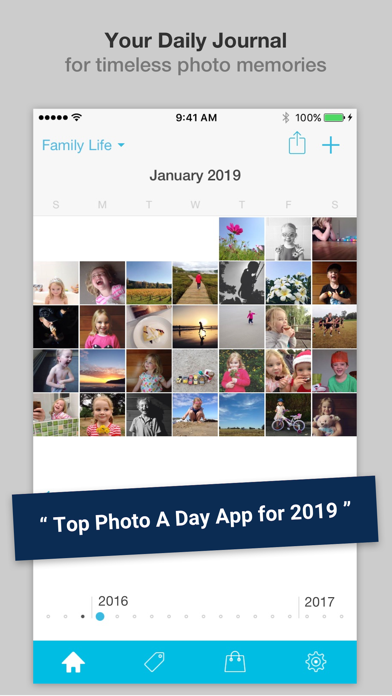
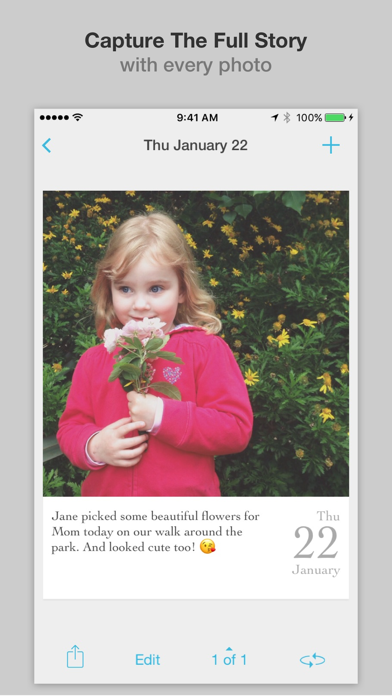
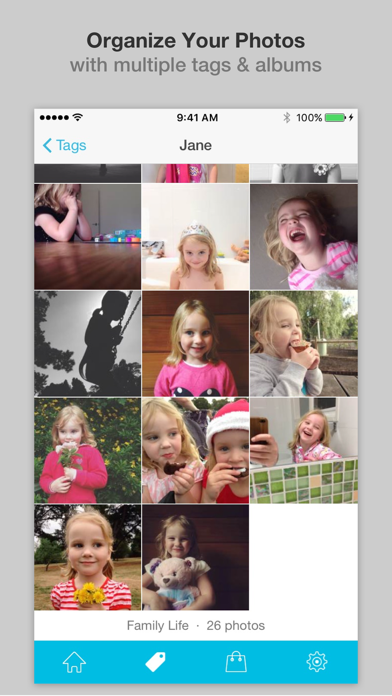
App Description
- Collect rich memories, not just photos -
- Easy, modern memory keeping -
- Complete your photo-a-day project -
'Collect' is the perfect daily photo journal!
--------------------------------------------------------
WHY? THESE AMAZING REVIEWS
"Love it! Downloaded a bunch of these photo journals. This one definitely beats them all."
"Favorite app on iPhone. The interface is simple and stylish, convenient, user-friendly.”
“Best… App… Ever. If you are a scrapbooker or memory keeper this is the perfect app."
--------------------------------------------------------
WHAT MAKES COLLECT DIFFERENT?
DATE & CAPTION YOUR PHOTOS
Beautiful, elegant design to show off your photos that also includes the date (month, day and year) and a caption.
CAPTIONS PLUS DETAILED NOTES
Sometimes a short caption isn't enough so with Collect you can add as much detail as you want with unlimited text notes entry with each photo.
ADD PHOTOS IN BULK
Get your important photos into the app quickly using the bulk import feature (up to 15 at one time).
PASSCODE LOCK (WITH TOUCH ID)
Keep your journal private by adding a passcode lock (with support for Touch ID to unlock).
USE TAGS TO SORT YOUR PHOTOS
Adding tags to each photo memory helps you filter and find them later.
MULTIPLE ALBUMS & CALENDARS
Create multiple different albums for whatever you're interested in.
AUTOMATIC BACKUP & SYNC
Get the Keep Safe Pack upgrade to enable fast syncing & private backup via your iCloud account.
CREATE & SHARE MONTHLY COLLAGES
Easily generate hi-resolution (2448px) collages of your photos every single month.
SEND TO DROPBOX & FLICKR
Get the Creative Pack upgrade and export all your photos, captions, notes & tags to Dropbox & Flickr.
PERFECT FOR PRINTING
The card format is perfect for printing when you export them from the app. Export you whole month of photos in bulk ready to print in either 3x4 or 4x6 print sizes.
CREATE VIDEO SLIDESHOWS
Want a super-easy way to share your photos & memories with friends & family? Then grab the Video Pack upgrade to create square or rectangular videos including dates & captions (ideal for Instagram, YouTube & Facebook).
NO SIGN-UP REQUIRED
Starting collecting your photo memories straight away and with no annoying ads to get in the way.
AND SO MUCH MORE...
- Add multiple photos every day
- Beautiful, intuitive design
- Fast, easy to use interface
- D