Meijer - Delivery & Pickup

Meijer - Delivery & Pickup Summary
Meijer - Delivery & Pickup is a free iOS app in Shopping by Meijer, Inc.. Released in Jan 2013 (13 years ago). It has 142K ratings with a 4.60★ (excellent) average. Based on AppGoblin estimates, it reaches roughly 494K monthly active users . Store last updated Jul 13, 2026
Recent activity: 7.00 new ratings this week View trends →
Meijer - Delivery & Pickup SDKs Summary
App not yet scanned for SDKs.
4.6★
Ratings: 142K
Screenshots
App Description
Shop with ease and save more; whether at home or in store! Make the most out of your shopping experience with Meijer's app using the following features:
GROCERY DELIVERY and PICKUP
– Shop online & place an order for pickup or home delivery to skip the trip inside the store!
– To get started, select pickup or delivery from your home screen and use your personalized grocery & shopping lists to start building your cart.
– No membership required, no markup on products, and you can use your mPerks coupons and rewards!
– All your order details are in the Orders section, where you can review, edit, or cancel your order.
IN-STORE SHOPPING
– If you're grocery shopping in-store, remember to scan your mPerks barcode at checkout or link your mPerks to your credit card in the Accounts section so you never have to worry about it.
– Use Shop & Scan to scan items to add them to your cart, clip associated coupons, and skip the checkout line!
– Get organized for making a trip to the store by using the shopping list.
FIND YOUR FAVORITE PRODUCTS
– Explore our selection of grocery products, such as fresh produce, meats, dairy and more.
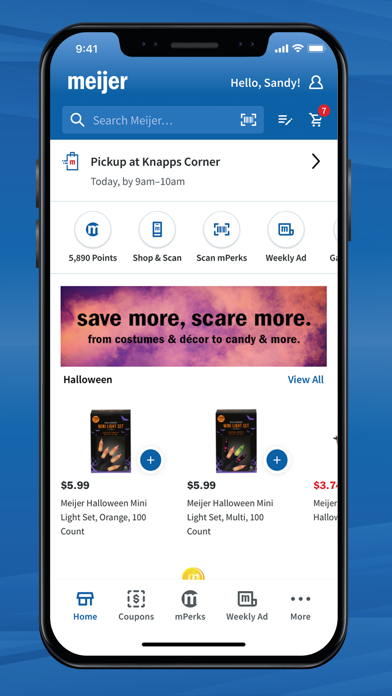
– Shop our seasonal and holiday collections.
– Stock up on everyday essentials including household items, snacks and more!
REWARDS
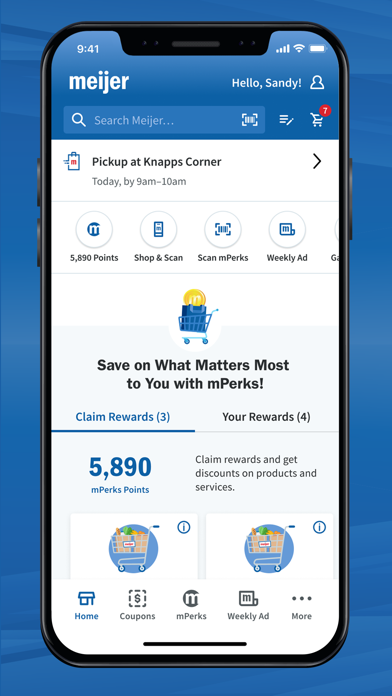
– Creating an account automatically signs you up for our mPerks rewards program!
– If you qualify for a reward, we'll start it for you!
– Track your reward progress in the Rewards section and stay up-to-date by opting in to email or push notifications.
COUPONS
– Browse coupons in the coupons section or easily find them as you're building your cart. Find deals in our weekly ad and apply coupons.
– Clip coupons to redeem in store when you enter your mPerks ID at checkout or to have them apply to your pickup/delivery order.