Millennium bim Smart IZI

Millennium bim Smart IZI Summary
Millennium bim Smart IZI is a free iOS app in Finance by Millennium bcp. Released in Jan 2013 (13 years ago). It has 20 ratings with a 4.15★ (good) average. Based on AppGoblin estimates, it reaches roughly 210 monthly active users . Store last updated Aug 25, 2026
Millennium bim Smart IZI SDKs Summary
App not yet scanned for SDKs.
4.15★
Ratings: 20
Screenshots

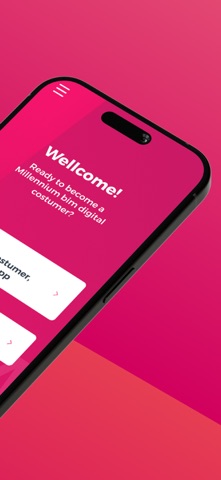
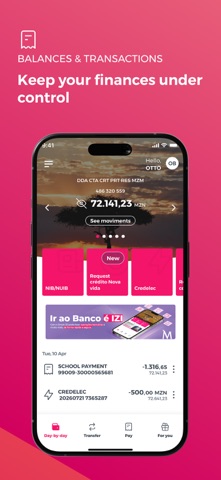


App Description
Navigation mode
The first great feature of this new version is the Look and Feel, which comes along with new colours, layouts, as well as new menus and buttons.
The new Smart IZI layout offers you a different navigation mode from the previous one. Now, after logging in, you can slide to the left or right on the products carousel and have an overview of all your products: accounts, cards, savings and loans. To make it even easier to navigate through the App, the new version of Smart IZI has a fixed navigation bar at the bottom of the screen where you can quickly access to "day-by-day", "transfer", " pay" and "more".
Privacy mode
The new version of Smart IZI brings with it the Privacy mode. Designed to ensure a higher confidentiality level of your financial information. With this new mode, you can always choose whether to hide or not your account balances after authentication.
Quick Access
Because simplifying is "making it more IZI", the new app has quick navigation options in the top right corner of the "day-by-day" feature: Alerts, Settings and Exit button.
Segment Theme/Colors
Now your App can distinguish your segment and define the colours of the visual components according to the Segment to which you belong.
Alerts / Push Notifications
Getting useful information about your assets and news about your Bank has become easier! Simply select the alert icon on the main page. Make sure to access settings first and enable the reception of Push-Notifications.
Settings
In this private area, you can easily:
View and delete favourites;
View authorization codes;
Change the IZI PIN;
Register / Update e-mail;
Reset your Internet Banking password * (new);
Enable / Disable the biometric configuration
Enable / Disable the reception of Push-Notifications (Alerts)
Products Carousel
Navigating left or right, you will be able to view all your products (accounts, cards, savings, savings and loans) and also perform some specific operations for each product. You can also check movements, balances or details of the specific product by selecting the “More details” option.
Transfer
Performing transfer operations has never been easier, this option is also in the navigation bar. See here the type of transfers available for you:
Intrabank Transfers
Interbank Transfers
Transfer for Phone
Mobile Transfers
M-Pesa
E-Mola * (new);
Schedules
Pay
Whenever you want to pay for a s