IP Test - Bandwidth test

IP Test - Bandwidth test Summary
IP Test - Bandwidth test is a mobile iOS app in Tools by Romain Fliedel. Released in Jan 2013 (13 years ago). It has 1.00 ratings with a 1.00★ (poor) average. Based on AppGoblin estimates, it reaches roughly 1.00 monthly active users . Store last updated Oct 9, 2025
IP Test - Bandwidth test SDKs Summary
App not yet scanned for SDKs.
1★
Ratings: 1.00
Screenshots
App Description
This app allows you to test IP connectivity and rates from your mobile device and a remote host.
== User guide ==
--- Download test ---
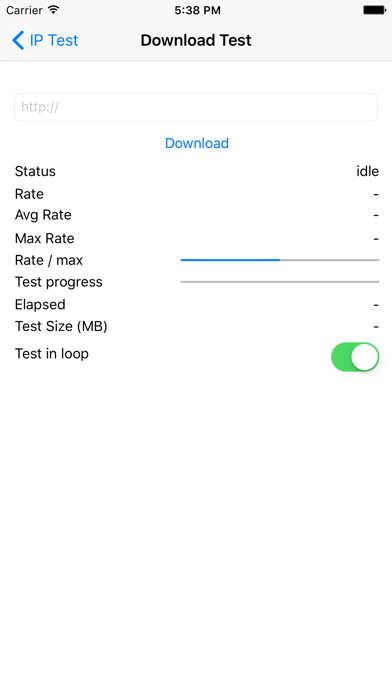
Enter the http url to download from
--- Upload Test ---
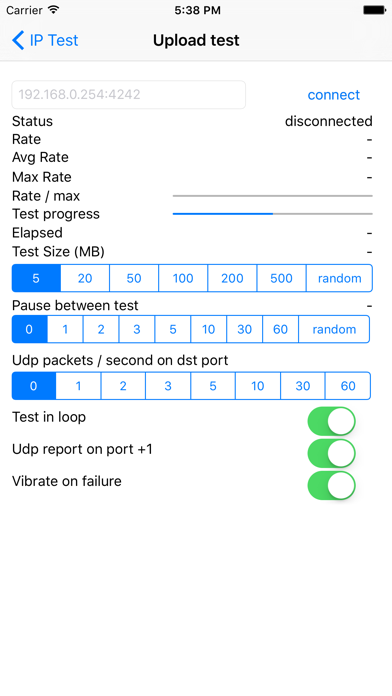
1/ on the destination launch an app accepting tcp and udp traffic on a given port (4242 for instance). This app should discard data to ensure the bandwidth is not limited by cpu processing on target.
eg: on target you can launch
# while :; do nc -l -p 4242 > /dev/null; done
2/ launch the app and fill the correct destination (eg: 192.168.1.254:4242) and press connect
3/ the device will start sending data to the destination target.
== Options ==
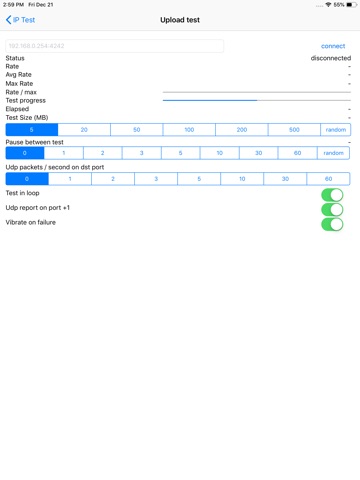
- You can specify the payload size: 5MB, 20MB, 50MB ..., or random size (max: 500MB)
- You can run the test in loop mode
- You can wait some time between each test
- You can get UDP rates reporting on port + 1 (for instance 192.168.1.254:4243)
- The device can vibrate on transfer failure (rate of 0 bytes/s)
- You can send UDP traffic in parallel of TCP traffic (you can choose the number of packets / seconds to send)