TimeTac - Work Hours Tracker

TimeTac - Work Hours Tracker Summary
TimeTac - Work Hours Tracker is a mobile iOS app in Business by TimeTac. Released in Mar 2013 (13 years ago). It has 19 ratings with a 4.26★ (good) average. Based on AppGoblin estimates, it reaches roughly 114 monthly active users . Store metadata: updated Mar 30, 2026.
Store info: Last updated on App Store on Mar 30, 2026 .
4.26★
Ratings: 19
Screenshots
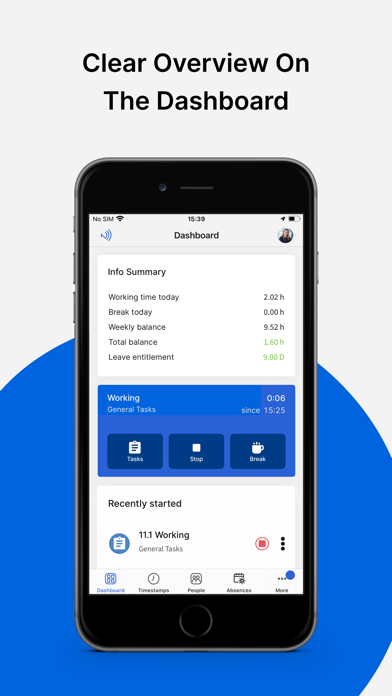


App Description
TimeTac is the ideal employee time management app for medium and large companies. Whether working hours, project time tracking, vacations, or absences, with TimeTac hours tracker you can record work time easily and quickly via browser, time clock or mobile app. Make attendance tracking, timesheets, and work log creation easier and save valuable time!
*** You need a TimeTac account to use the app. Try TimeTac now 30 days for free.
*** Please note that your employees can only use the app if you set mobile access in the TimeTac account for the respective user.
• Effortless work time management
Work hours tracker records time live or subsequently. When you clock in and out, pause or stop the working hours tracking in the app, timestamps are automatically saved in your timesheet, providing a work log overview. In Project Time Tracking, employees can book time for separate tasks, projects or customers.
• Transparency in the employee work log
Who is currently working on which task, absent, or working remotely or from the office today? In the status overview, you can see live working time and employees' absences. It is especially interesting for managers and facilitates time management for teams.
• Offline functionality
If the Internet connection is interrupted, the app will still work offline. Attendance tracking data is synchronized as soon as the connection is restored.
• Optionally combine mobile time recording with GPS, NFC or geo-fences to be able to document time bookings based on location and project.
• Schedule to-dos for employees
Plan tasks in advance in project time recording and assign them to your employees. They can then track time directly in the created plan.
• Overview of your resources
Access various reports in both Working Time Tracking and Project Time Tracking. Keep an eye on the timesheets, clock in and out time and overall attendance of your team. It is possible to record the time spent on a project or task. Efficiently manage time spent on projects, costs, turnover, and the orders' profitability at any time.
• Leave Management
Efficiently manage all holidays and absences. TimeTac automatically calculates annual leave and holiday entitlement for all employees based on your settings. Thanks to numerous evaluation options, you can always keep an overview of an employee's work log. Requests and confirmation workflows cou