PhotoMarks - Watermark Photos

PhotoMarks - Watermark Photos Summary
PhotoMarks - Watermark Photos is a free, ad-supported, with in-app purchases iOS app in Business by Bits&Coffee. Released in Apr 2013 (13 years ago). It has 1.6K ratings with a 4.63★ (excellent) average. Based on AppGoblin estimates, it reaches roughly 7.5K monthly active users and generates around $<10K monthly revenue (24% IAP / 76% ads). Store last updated Mar 25, 2026
SDK intelligence: AppGoblin detected 2 ad networks(e.g. Facebook) integrated into PhotoMarks - Watermark Photos. View full SDK list →
PhotoMarks - Watermark Photos SDKs Summary
PhotoMarks - Watermark Photos was last scanned for SDKs on 2026-07-03. Below is the overview of third-party companies detected in the app. The full list of SDKs, permissions and unknowns is available here.
 Facebook
 Google
4.63★
Ratings: 1.6K
Screenshots




App Description
PhotoMarks is an privacy-focused easy-to-use app, for watermarking and annotating your images in batch mode. Easily protect your copyrighted images, or add text comments to your photos before sharing or uploading.
"There are many photo apps out there you can use to add customisable watermarks to your online pics, but this new app from Bits&Coffee promises to make it easier than ever."
— CreativeBloq - http://bit.ly/photomarks
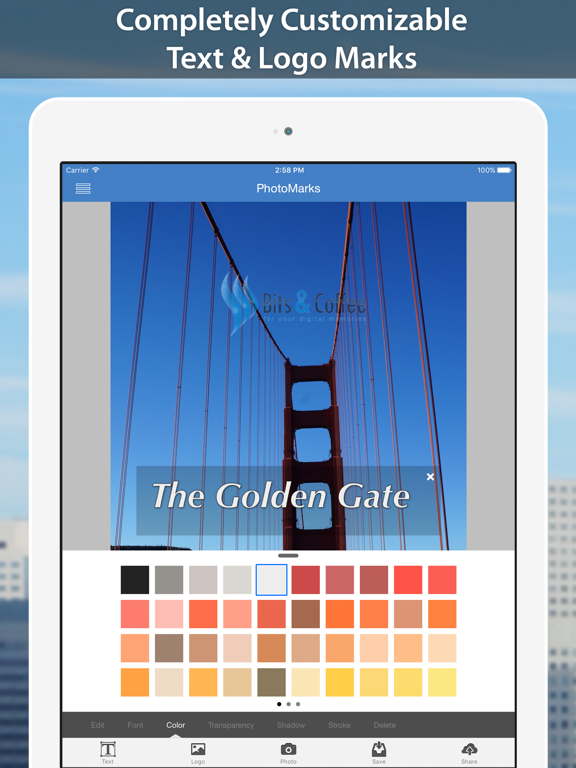
With PhotoMarks you can completely customize the appearance of your text and logo marks. Working with multiple layers is an easy and visually pleasing experience. Brand, trademark, and copyright protect your pictures with ease!
Functionality
• Watermark Photos with No Quality Loss
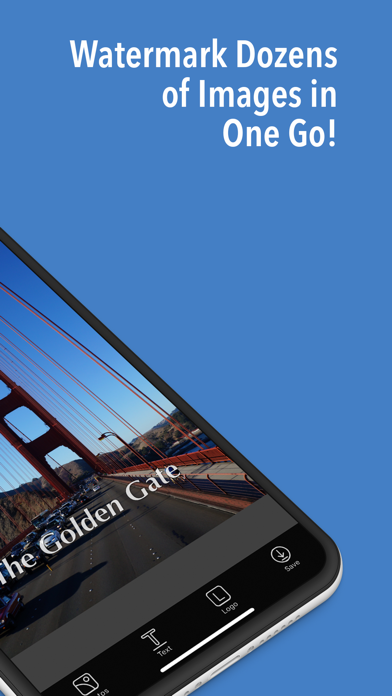
• Batch Watermarking feature for editing your images in bulk!
• New 'Favorite Logos' feature that will save your most used logos so you can retrieve them easily
• Tie Marks to zones for better mark positioning in batch mode
• Great user interface, with a scrollable film strip with all your images
• Add Multiple Layers with Text and Logo Marks
• Use the app in Landscape mode!
• Save your settings as Profiles and easily retrieve them later
• Photo Manager module for easily adding, sorting, or deleting pics
• Share Extension to add images directly from the Photos app
• Undo & Redo support
Text Mark
• Rotate, scale and position with simple gestures
• Select from all system fonts
• Select from a custom color palette
• Customizable Transparency
• Add a Shadow effect
• Add a Stroke effect
Logo Mark
• Rotate, scale and position with simple gestures
• Customizable Transparency
• Add a Shadow Effect
Save to Photos or Share to
• Instagram
• Twitter
• Facebook
• Email
Terms of Use (EULA):
https://www.apple.com/legal/internet-services/itunes/dev/stdeula/