QuickPlan, Project Gantt Chart
QuickPlan, Project Gantt Chart Summary
QuickPlan, Project Gantt Chart is a mobile iOS app in Productivity by 皓 李. Released in Mar 2013 (13 years ago). It has 1.2K ratings with a 4.74★ (excellent) average. Based on AppGoblin estimates, it reaches roughly 3.5K monthly active users . Store metadata: updated Feb 15, 2026.
Store info: Last updated on App Store on Feb 15, 2026 .
4.74★
Ratings: 1.2K
Screenshots
App Description
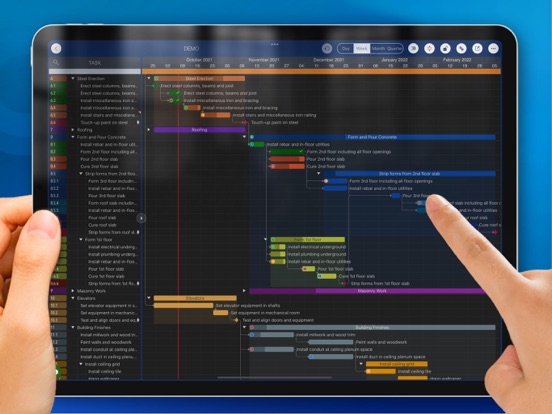
QuickPlan makes project planning easier than ever before. Project management with natural gestures on the Gantt chart, sync and share projects across multiple devices and teams, and support integration with Microsoft Project Plan.
## PRIVACY FOCUSED
User-created projects are stored on the user's device or in iCloud Drive.
## ACTIVE UPDATING
- Continually evolves based on best practices from experts and ideas from users.
- App-Liv.jp Top10 Project Management Apps of 2019 - 1st Place.
- BestApp Ever Awards 2014 "Best Business App" - 3rd place.
* QuickPlan is now available for macOS. *
Download the free 15-day trial from https://quickplan.app/trial.
With NATURAL GESTUREs on a clean and elegant interface, project management is more accessible, faster and more efficient than ever before. Visualize, manage and simplify projects flexibly and efficiently with Gantt charts, outline list and property editor, create tasks, organize your project calendar and resources, track status. It's easier than you think, with a minimum of effort and learning.
QuickPlan App supports exporting projects to image, Excel, PDF, Microsoft Project and WBS files. AND to import projects from Microsoft Project, WBS and Mind-map files.
The app supports synchronization of project plans between the same user's macOS and iOS devices and supports team collaboration via iCloud Drive. And it supports syncing and sharing via OneDrive and Dropbox. QuickPlan also supports duplicating projects by members for better teamwork.
QuickPlan fine-tunes the best features of Microsoft Project Plan and re-purposes them to work for iPad - without the complexity - providing users of all experience levels with an INTUITIVE and discoverable project management experience.
## EFFICIENT MAINTENANCE
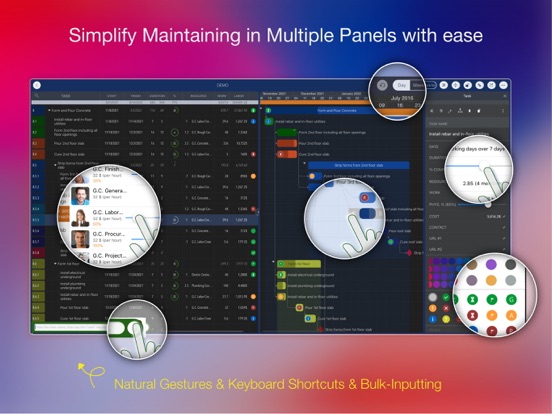
- Gestures for tasks: Create, remove, move, indent and outdent, change order.
- Gestures to zoom in and out, collapse and expand.
- Keyboard shortcuts.
- Batch input.
- The most fluid Gantt chart app on a clean interface.
## STRONG PLAN
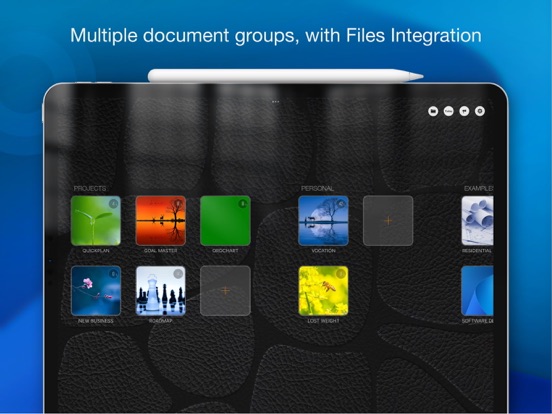
- Multiple Projects.
- Supports duplication of the entire project and duplication by specific members.
- Organize tasks into REAL task groups and sub-projects.
- Task color, icon, contact, and required task fields.
- Five levels of outline (plus sub-project, for a total of ten levels of outline).
- Gesture-based management of task links.
- Lock editing, row height.
- Integration wi