PDF Export: Editor & Converter

PDF Export: Editor & Converter Summary
PDF Export: Editor & Converter is a free, ad-supported, with in-app purchases iOS app in Productivity by LiveBird Technologies Private Limited. Released in Apr 2013 (13 years ago). It has 14K ratings with a 4.63★ (excellent) average. Based on AppGoblin estimates, it reaches roughly 37K monthly active users and generates around $<10K monthly revenue (32% IAP / 68% ads). Store last updated Sep 15, 2026
Recent activity: 19 new ratings this week View trends →
SDK intelligence: AppGoblin detected 6 development tools(e.g. Google), 2 ad networks, 1 analytics: product,and 1 business tools integrated into PDF Export: Editor & Converter. View full SDK list →
PDF Export: Editor & Converter SDKs Summary
PDF Export: Editor & Converter was last scanned for SDKs on 2026-08-18. Below is the overview of third-party companies detected in the app. The full list of SDKs, permissions and unknowns is available here.
 Google
 AdMob
AdMob Airbnb Engineering
 nanopb
 Alamofire
 Firebase
 RevenueCat
4.63★
Ratings: 14K
Screenshots
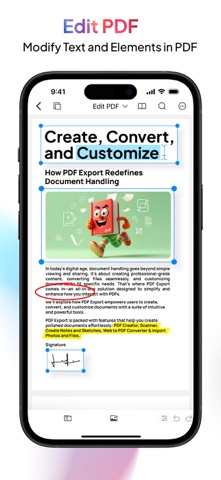


App Description
Tired of switching between multiple apps just to handle PDFs?
PDF Export brings scanning, editing, converting, signing, compressing, chat exporting and 30+ PDF tools together in one simple app. Scan a document, edit a PDF, convert Office files, export WhatsApp chats, add signatures, protect files and much more — right from your iPhone or iPad.
Pay once. No subscription. No monthly fee.
# ANNOTATE & EDIT PDFs
- Work directly inside your PDF.
- Highlight important text, draw, add comments, annotate pages and edit PDF content without recreating the entire document.
# SCAN ANY DOCUMENT
- Turn your iPhone or iPad into a portable document scanner.
- Scan receipts, contracts, notes, forms and multi-page documents in seconds. Automatic edge detection helps create clean, professional-looking PDFs without needing a separate scanner.
# OCR — EXTRACT TEXT FROM IMAGES
- Need text from a photo, scanned document or handwritten document?
- OCR can recognize and extract text from images, scanned documents, handwritten documents and image-based PDFs.
- Copy, search or work with the extracted text without typing everything again.
# MERGE & SPLIT PDFs
- Organize PDF pages exactly the way you need.
- Combine multiple PDF files into a single document, or split a large PDF into smaller files. Great for reports, invoices, forms and document collections.
# SIGN DOCUMENTS
- Sign PDFs directly on your iPhone or iPad.
- No printing, signing and scanning again. Simply open your document, add your signature and share the completed PDF.
# CONVERT FILES TO PDF — OR BACK AGAIN
- Quickly convert documents between popular formats:
- Word to PDF
- PDF to Word
- Excel to PDF
- PDF to Excel
- PowerPoint to PDF
- PDF to PowerPoint
- JPG to PDF
- PDF to JPG
- Web Page to PDF
- PDF to Text
- PDF to HTML
- PDF to RTF
Keep your documents in the format you actually need.
# COMPRESS PDFs
- Large PDF taking too much space?
- Reduce PDF file size to make documents easier to email, share, upload or store while maintaining useful document quality.
# PROTECT, UNLOCK & WATERMARK PDFs
- Keep sensitive documents protected.
- Add password protection to PDFs, unlock files you have permission to access, and add watermarks to help protect your work.
# CHAT TO PDF
- Export WhatsApp chats as beautifully formatted PDFs or interactive HTML.
- Choose from WhatsApp-style or clean document layouts, per