Mosaic - Video & Photo Collage
Mosaic - Video & Photo Collage Summary
Mosaic - Video & Photo Collage is a mobile iOS app in Photo And Video by Limit Point Software. Released in Nov 2014 (11 years ago). It has 1.00 ratings with a 1.00★ (poor) average. Store metadata: updated Feb 15, 2024.
Store info: Last updated on App Store on Feb 15, 2024 .
1★
Ratings: 1.00
Screenshots


App Description
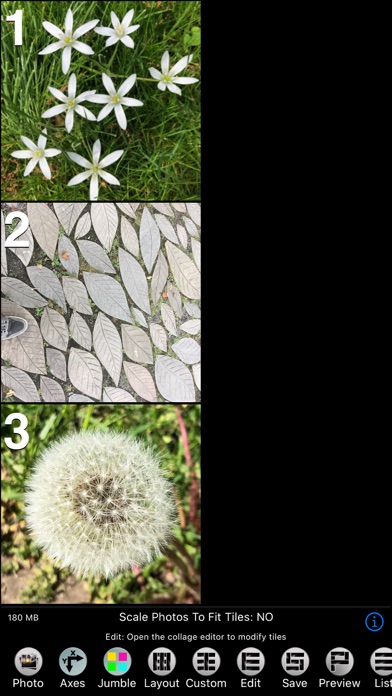
Mosaic is a versatile app that creates collages that consist of tiles, arranged according to a layout.
Mosaic contains 345 built-in layouts, but you can make your own in the collage editor.
Mosaic automatically creates icons for your custom layouts.
Photos & Videos: When you add a video to a tile its photo is set from the video, and vice verse. Live Photos behave similar to videos.
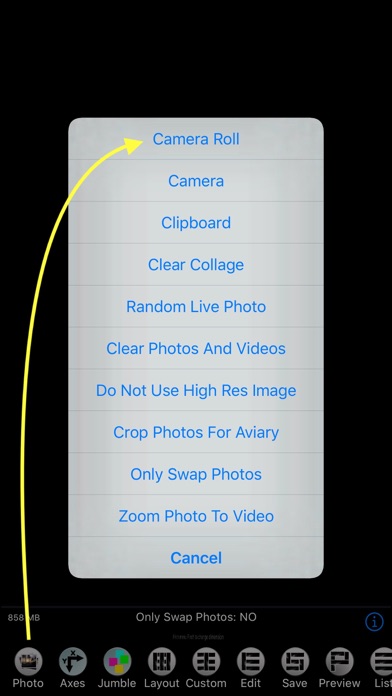
Tiles may be empty or contain a video or photo. When you add a video or photo in the main view a new tile is created with the video or photo as its contents. Empty tiles can be added to the collage in the editor, and in the editor you can also add videos or photos to empty tiles, or replace a tile's current video or photo with a new one.
Tiles are defined in terms of a unit size, and the proportions of a tile is specified as factors of that unit size, from 1 to 10. These are called the width and height factors of the tile, and you can change them using sliders in the editor view.
As an alternative to layouts Mosaic has a feature called "Jumble". This mode of Mosaic randomly places the centers of each tile in the view. You can then drag them around within the view.
Layouts consist of collage dimensions, background color or pattern and tile spacing and all the tile data which consists of tile proportions and metadata. Metadata consists of the tiles title, border width and color, opacity (alpha), and corner size.
Title: text that is displayed as label.
Opacity: the translucency of the tile.
Border Width: defines the width of a frame for the tile.
Border Color: a color to draw the frame with, it may be partially transparent.
Corner Radius: the curvature of the corners of the frame.
The Mosaic editor is where you add and remove tiles, and set the proportions and metadata for tiles. At the top of the editor are various buttons that offer the following functionality:
+Photo: Add a video or photo to the selected tile.
-Photo: Remove a video or photo from the selected tile.
-Tile: Remove selected tile and the video or photo it contains.
+Tile: Add a new empty tile. The width an height of the new tile will match the values of the width (W) and height (H) sliders. You can set the slider values by tapping on an existing tile.
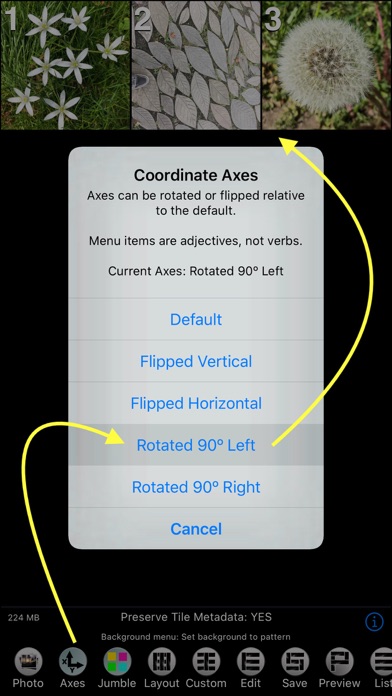
Crop: Crop, rotate or flip the selected tile’s photo. The “crop rect” is set to the same proportions as the selected tile, but you can c