Video to Audio: Convert Music

Video to Audio: Convert Music Summary
Video to Audio: Convert Music is a free, with in-app purchases iOS app in Tools by 佳伟 薛. Released in Oct 2022 (3 years ago). It has 100 ratings with a 4.51★ (excellent) average. Based on AppGoblin estimates, it reaches roughly 388 monthly active users and generates around $<10K monthly revenue (100% IAP / 0% ads). Store last updated Nov 28, 2022
Video to Audio: Convert Music SDKs Summary
App not yet scanned for SDKs.
4.51★
Ratings: 100
Screenshots


App Description
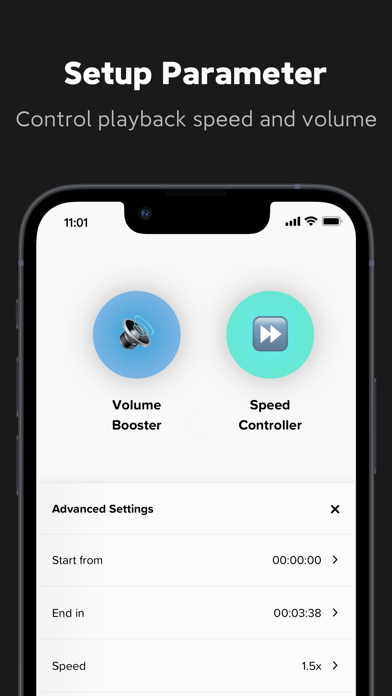
Video2audio can clip and convert nearly any video files to all the popular formats MP4, MP3, M4R, AC3, AAC, FLAC, OGG, WMA, WAV, and so on. Quickly and easily extract high quality MP3 audios, you can save, share and listen to them anytime and anywhere!
-Import & Copy: Import or copy audio files from different resources and applications.
-Video player: add a regular video player to view video details conveniently.
-Convert & Clip: Convert and clip available videos into high quality audios of within seconds.
-Share & Open: Share and open audio files with any social network and applications as you want.
-Listen & Rename: Listen to the audio files as your preference, rename artist name for your songs.
==========================
Unlimited Subscription
Monthly: 6.99$
==========================
- Unlimited subscription is billed monthly at the rate correspnding to the selected plan. Besides, a one-time payment will be offered if needed, which is not one of the subscription plan.
- Payment will be charged to Itunes Account at confirmation of purchase.
- Subscriptions automatically renews unless auto-renew is turned off at least 24 hours before the end of the current period.
- Account will be charged for renewal within 24-hours prior to the end of the current period, and identify the cost of the renewal.
- Subscriptions may be managed by the user and auto-renewal may be turned off by going to the user's Account Settings after purchase.
Privacy Policy: https://sites.google.com/view/anyconvertertomp3-privacy-topo/home
Terms of Use: https://sites.google.com/view/any-converter-to-mp3-terms-ofu/home