ScanBox: Business Card Scanner

ScanBox: Business Card Scanner Summary
ScanBox: Business Card Scanner is a free, with in-app purchases iOS app in Tools by zaal LLC. Released in Jan 2023 (3 years ago). It has 6.00 ratings with a 4.83★ (excellent) average. Based on AppGoblin estimates, it reaches roughly 21 monthly active users and generates around $<10K monthly revenue (100% IAP / 0% ads). Store last updated Jun 9, 2026
ScanBox: Business Card Scanner SDKs Summary
App not yet scanned for SDKs.
4.83★
Ratings: 6.00
Screenshots



App Description
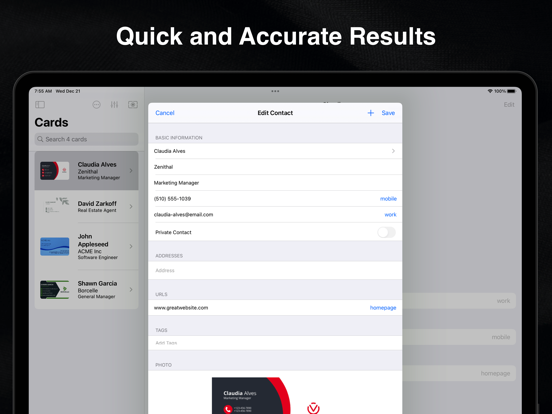
ScanBox is the fast, accurate way to turn paper business cards into digital contacts. Point your camera at a card and ScanBox reads the name, company, title, phone, email, and address, then files each detail into the right field. No more typing in contact information by hand, and no more lost cards. Every scan is saved in the app, so the details are always there when you need them.
WHAT YOU CAN DO
* Call, message, email, or get driving directions straight from a scanned contact
* Save a contact to your iPhone's Contacts app, or keep it only inside ScanBox
* Share contacts with anyone over Mail or Messages
* Organize cards with tags so they are easy to find later
* Export your contacts as CSV or vCard files to back them up or move them anywhere
SIMPLE AND ACCURATE
* Just point and scan. Recognition happens in real time.
* Highly accurate text recognition built on Apple's VisionKit
* Smart categorization sorts the recognized text into the correct contact fields automatically
* Anything that does not fit a field is easy to assign yourself with a couple of taps
BUILT ON APPLE TECHNOLOGY
* Scanning and OCR use Apple's VisionKit, so recognition stays accurate across different card layouts and fonts
* Data Detectors from Apple's Foundation framework, combined with our own categorization logic, sort text into fields like name, email, and company
* All scanning and text processing happen on your device, so results are instant
* Because the scanning pipeline relies only on Apple's on‑device frameworks, your card scans are never sent to an outside OCR service or the cloud, which is great for privacy
PRICING
* Your first 10 scans are free
* After that, buy additional scan credits whenever you need them, or subscribe to ScanBox Premium for unlimited scanning
REQUIREMENTS
* Requires iOS 26 or later
* Requires a device with the Apple Neural Engine
* Text recognition supports English, French, Italian, German, Spanish, Portuguese, Chinese, Korean, and Japanese
Terms of Use: https://www.apple.com/legal/internet-services/itunes/dev/stdeula/