AI Cleaner・Swipe Delete Photos

AI Cleaner・Swipe Delete Photos Summary
AI Cleaner・Swipe Delete Photos is a free, ad-supported, with in-app purchases iOS app in Tools by Apptico. Released in Nov 2022 (3 years ago). It has 15K ratings with a 4.65★ (excellent) average. Based on AppGoblin estimates, it reaches roughly 30K monthly active users and generates around $<10K monthly revenue (26% IAP / 74% ads). Store last updated Oct 17, 2026
SDK intelligence: AppGoblin detected 3 development tools(e.g. Google), 2 business tools, 1 ad networks, 1 analytics: product,and 1 analytics: attribution integrated into AI Cleaner・Swipe Delete Photos. View full SDK list →
AI Cleaner・Swipe Delete Photos SDKs Summary
AI Cleaner・Swipe Delete Photos was last scanned for SDKs on 2026-09-24. Below is the overview of third-party companies detected in the app. The full list of SDKs, permissions and unknowns is available here.
 Google
 nanopb
 PostHog
 Firebase
 Adjust
 RevenueCat
 Superwall
4.65★
Ratings: 15K
Screenshots


App Description
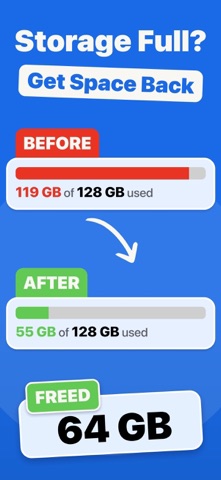
Storage almost full again? We find the photos and videos you no longer need, show how much space they take, and let you delete them in a few taps.
- Find duplicate photos
- Review similar shots taken in a row
- Clear screenshots and photos saved from social apps
- Find your largest videos
- Sort your photos and videos month by month
- Widgets, Control Center controls, and Siri
- 100% private: the scan runs on your device
- Deleted items stay in Recently Deleted for 30 days
FIND DUPLICATES
Copies of the same photo take space for nothing. We group them together, and one tap selects every copy except the best one, so you always keep one photo of each group.
REVIEW SIMILAR SHOTS
You often take several photos of the same moment. Photos taken in quick succession are grouped together. One tap selects every photo except the one marked "Best": a favorite or an edited photo comes first, then the highest resolution. You can always choose another one. Open a photo in full screen to zoom in, and swipe to compare it with the others in its group. Select the ones to delete there: nothing is deleted until you confirm.
CLEAR SCREENSHOTS
Screenshots pile up fast, and you rarely look at them again. Show only the last 7, 30, or 90 days, select many at once, and delete them together.
FIND YOUR LARGEST VIDEOS
Videos often take the most space. Sort them from largest to smallest to see which ones free up the most space.
SORT MONTH BY MONTH
Prefer to go through everything? The "Month by Month" tab shows your photos and videos one at a time, month after month. Swipe or tap to keep or delete, and undo if you change your mind. Each month shows its size and your progress. The items you chose to delete are gathered in one list, "To Delete", so you can check them before you delete them. The ones you kept have their own list too, "Kept Items", and they are never selected for you.
CLEAR PHOTOS FROM SOCIAL APPS
Photos saved from WhatsApp, Instagram, Snapchat, and other apps are kept apart from your own photos, so you can review them in one place.
BROWSE EVERY CATEGORY
Bursts, panoramas, selfies, Live Photos, all photos, and all videos each have their own list. See how much space each category takes, and sort by date or by size.
CLEAN AT YOUR OWN PACE
Your selection and your month by month sorting are saved when you close the app, so you can continue later. On iOS 26 and later, the fi