PixelLab: AI Background Eraser

PixelLab: AI Background Eraser Summary
PixelLab: AI Background Eraser is a free, ad-supported, with in-app purchases iOS app in Art And Design by Sohel Ibna Saad. Released in Dec 2022 (3 years ago). It has 3.1K ratings with a 4.62★ (excellent) average. Based on AppGoblin estimates, it reaches roughly 7.1K monthly active users and generates around $<10K monthly revenue (35% IAP / 65% ads). Store last updated Nov 19, 2025
Recent activity: 4.00 new ratings this week View trends →
PixelLab: AI Background Eraser SDKs Summary
App not yet scanned for SDKs.
4.62★
Ratings: 3.1K
Screenshots


App Description
Instantly remove background from images and create transparent or colorful backgrounds on your iPhone. Background Eraser lets you apply colors, filters, borders, and even add text to change background in your photos and save as high-quality PNG or JPEG.
Looking for the best background removal app for iPhone? Use our AI-infused tool to automatically cut out objects or people in the background. Simply select your image from the library, and the app will do the rest!
Key Features of Background Eraser:
• One tap to remove background from photos automatically
• Crop, rotate, and flip images for adjustment
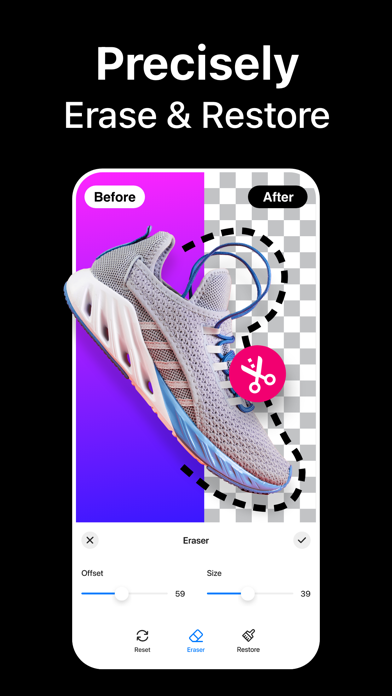
• Manual background remover to erase or restore any objects
• Add custom text and emojis to a photo background
• Add border outline to a photo with different colors
• Inbuilt image background color changer
• Apply amazing photo filters from 100+ presets
• Change resolution before saving your edited photos in PNG or JPEG format
• Instantly share your creation on multiple platforms like Facebook, Instagram, etc.
Remove Background with AI
The built-in automatic background remover works like a charm – needing you to only select an image from the gallery. After the AI background removal, you can use the Eraser tool to manually delete background from images and achieve perfection.
Change Background Color
Wondering how to change the background of a photo to a different color? Choose your pick from the palette and change background color of any photo on your iPhone. You can add white background to a photo or make the background transparent as well.
Text, Emojis, Filters – You name it
Add text and emojis to images to personalize your captures the way you want. You can also apply photo effects and filters to enhance the appearance, add border frame to change the outlook, and so on.
How to remove background from a picture on iPhone?
Using the Background Eraser app to crop out or remove people and objects from photo backgrounds is easy –
- Launch the app and tap on the Plus (+) button.
- Choose an image from your iPhone Library.
- Crop or rotate if needed. Then hit Next.
- It will automatically remove the background for you. To further refine the edges, use the Eraser tool for adjustments.
Auto-Renewable Subscription Terms:
Subscribe to get unrestricted access to all the features outlined above.
- Subscription Length: Weekly, Yearly
- Subscr