Dayji

Dayji Summary
Dayji is a mobile iOS app in Tools by Daichi Kato. Released in Jun 2023 (3 years ago). It has 5.00 ratings with a 4.80★ (excellent) average. Based on AppGoblin estimates, it reaches roughly 17 monthly active users . Store metadata: updated Jan 19, 2026.
Store info: Last updated on App Store on Jan 19, 2026 .
4.8★
Ratings: 5.00
Screenshots


App Description
A simple diary app that allows you to view entries on a monthly basis. It supports synchronization with iCloud and allows you to export your diary entries in CSV format.
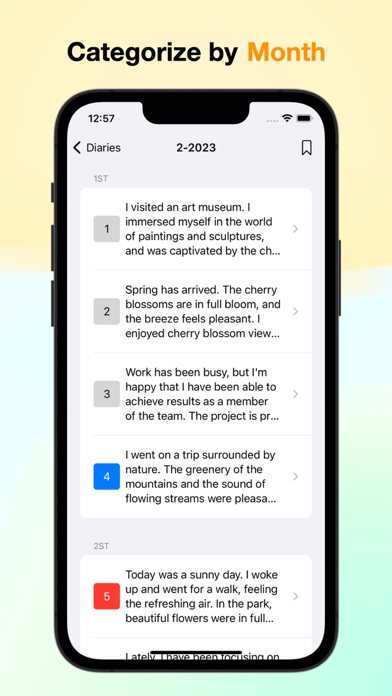
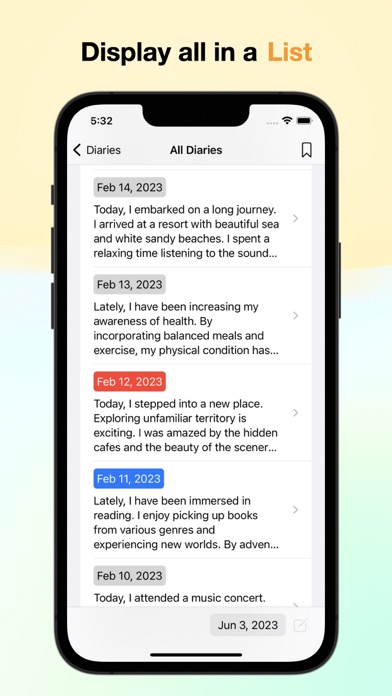
■ Two selectable display styles: List View and Monthly View
List View displays entries in a list format, showing only the dates on which entries were written. Monthly View displays all dates in advance. You can choose the display method that suits you best.
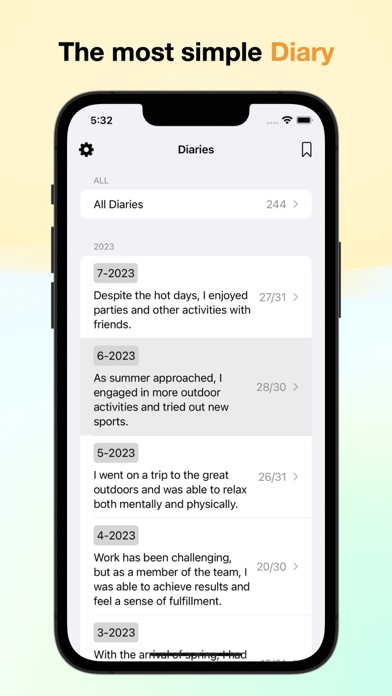
■ Ability to write summary memos for each month
This feature allows you to easily reflect on what you have been doing. It also helps you remember what happened in a particular month when looking back.
■ Favorites feature
You can easily access important diary entries and quickly retrieve the necessary information.
■ Photo gallery for each day's captured photos
You can easily browse photos taken on specific dates, enhancing your memory of past events. Even when writing diary entries at a later date, it will be easier to recall the events of that day. Additionally, you can add photos without manual effort, making diary writing stress-free.
■ Visual division by week for easy viewing
Similar to how calendars are divided into weeks, this app also provides visual divisions for each week.
■ Easily identify days without diary entries to prevent forgetting
The app displays the number of diary entries for each month, encouraging you to write a diary entry every day. It helps maintain the habit of writing a diary.
■ Write diary entries in plain text
You can write diary entries in plain text, freeing yourself from the hassle of formatting text.
■ Character counter to track the number of words
A character counter allows you to quickly see how much you have written, helping you keep track of your progress.
■ Supports backup in CSV format
You can back up your diary entries and easily store the data externally.
■ Compatible with Mac for editing and viewing on any device
Since it is also compatible with Mac, you can edit your diary entries on any device that suits your convenience.
■ Customizable theme colors
You can change the theme colors to your liking, selecting colors that match your preferences.
■ Adjustable font size
You can change the font size according to your preference. If the text is too small or too large to read comfortably, you can adjust it to a size that suits you.
■ Backup and synchronization across