OKEN - Doc Scanner, PDF Scan
OKEN - Doc Scanner, PDF Scan Summary
OKEN - Doc Scanner, PDF Scan is a ad-supported, with in-app purchases iOS app in Productivity by Aditya Sharma. Released in Mar 2023 (3 years ago). It has 9.00 ratings with a 4.55★ (excellent) average. Based on AppGoblin estimates, it reaches roughly 41 monthly active users and generates around $<10K monthly revenue (63% IAP / 37% ads). Store metadata: updated Feb 20, 2026.
Store info: Last updated on App Store on Feb 20, 2026 .
4.55★
Ratings: 9.00
Screenshots


App Description
The Doc Scanner is a PDF document scanner app. You can scan documents, receipts, photos, reports, or anything.
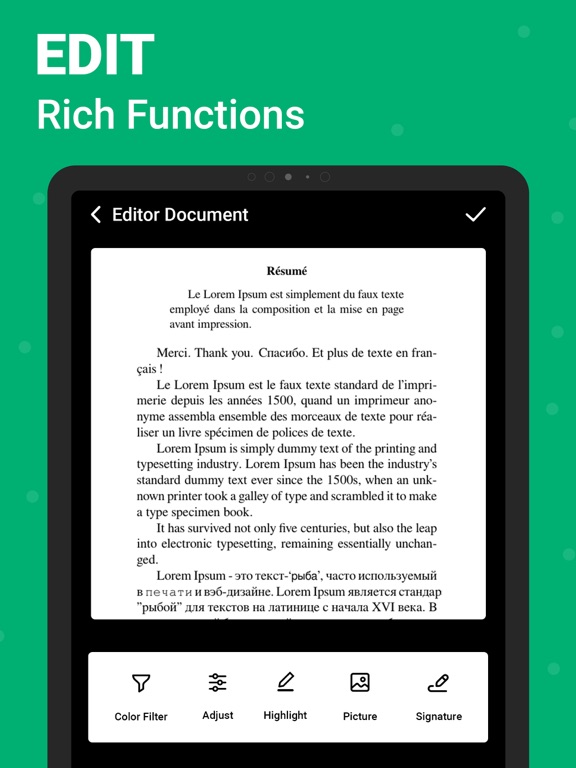
Doc scanner app for phone detects the corner of the file that you want to scan for better quality along with you can also crop the part of the document that you want to scan. Use your phone device's camera to photoscan and digitize all kinds of paper documents, receipts, notes, invoices, business cards, certificates, and scan to PDF. Fast scanner app PDF document scan free also has a long tap on an item at the home page to enable selection mode to create multi-page PDF by using mobile scanner free.
We have:
◆ Scan Docx:
The PDF scan photo scanner is so easy and powerful to use, you’ll say, This is the best free PDF scanner for documents. By having this document scanner PDF scanning app on your phone, you can save your time and efforts by quickly scanning at any time by using the free document scanner HD 2020. Scans are saved to your device in image or PDF format by using a free pdf scanner and a camera scanner HD PDF scan.
◆ Scan ID Card:
An ID scanner scans ID cards, passports, driving licenses, visas, and other identity documents in just a few seconds and saves them into the device by using an ID scanner & Doc scanner.
◆ Scan Book:
Free scanner app for documents that can be used to scan books, novels, magazines, and scan to PDF by using a page scanner, saved to your device in image or PDF format by using a Doc scanner app for phone.
◆ Scan ID Photo:
Photo scan that lets you scan and save your favorite photos by using a photo scanner app and PDF scanner document scan OCR. Digitize your photos with picture scanner & OCR scanner and save the photo to PDF by using a photo scan and PDF scanning app.
Feature of PDF Scanner App - Free Document Scanner & Scan PDF:
• Scan your document.
• Page edges are detected automatically.
• Set page sizes for PDF (Letter, Legal, A4, and more)
• Share PDF/JPEG files.
• Print and fax the scanned doc directly from the app
• Automatically document edge recognition and perspective correction.
• Photoscan enhance the scan quality automatically and manually.
• Arrange your docs in folders and subfolders with the CS scanning app.
• Scanner app free for documents and photos scanning.
• PDF creator can create PDF in different sizes from A1 to A-6 and like postcards, letters, notes, etc.
•