Smart Printer App: iPrint

Smart Printer App: iPrint Summary
Smart Printer App: iPrint is a free, ad-supported, with in-app purchases iOS app in Business by Rhythmix OU. Released in Jun 2023 (3 years ago). It has 44K ratings with a 4.63★ (excellent) average. Based on AppGoblin estimates, it reaches roughly 163K monthly active users and generates around $10K+ monthly revenue (27% IAP / 73% ads). Store last updated Sep 18, 2026
Recent activity: 8.00 new ratings this week View trends →
SDK intelligence: AppGoblin detected 5 development tools(e.g. Google), 3 ad networks, 2 analytics: product,and 1 analytics: attribution integrated into Smart Printer App: iPrint. View full SDK list →
Smart Printer App: iPrint SDKs Summary
Smart Printer App: iPrint was last scanned for SDKs on 2026-10-03. Below is the overview of third-party companies detected in the app. The full list of SDKs, permissions and unknowns is available here.
 Google
 Facebook
 Snap
Snap Sentry.io
 Airbnb Engineering
 nanopb
 AppsFlyer
 Firebase
 Amplitude
4.63★
Ratings: 44K
Screenshots


App Description
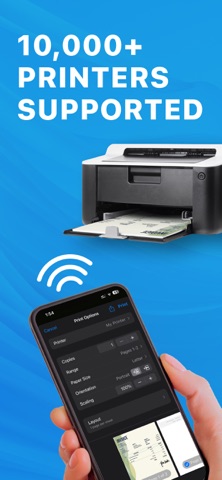
The Smart Printer App is the ultimate printing and scanning solution. With its intuitive and easy-to-use interface, you can easily print documents and photos from your device's storage, iCloud, or email. Our app supports more than 8000+ different printers.
Smart Printer App Key Features:
PRINT EASILY FROM YOUR PHONE
Our app lets you print wirelessly from your iPhone without additional software, making it incredibly simple to print your documents and photos without hassle.
SCAN DOCUMENTS AND PHOTOS
You can scan multiple documents or photos in one session and save them as PDF files. This feature is beneficial for scanning a document quickly and efficiently.
IMPORT & PRINT
Import files from email or other apps on your iOS device directly into the Printer App. You can import documents or photos from cloud storage services like iCloud, Dropbox, or Google Drive and print them directly from the app.
MULTIPLE PRINT OPTIONS
The Smart Printer App offers a range of printing options to suit your needs. For example, you can select the number of copies, page range, paper size, page orientation, and pages per sheet. The app gives you complete control over your printing preferences.
This app is independent and not affiliated with, endorsed or sponsored by any particular printer brand, including without limitation, HP, Canon, Epson, Brother.
Privacy policy: https://pp.smartprinterapp.space/
Terms of use: https://tou.smartprinterapp.space/