Storage Cleaner · Smart Clean

Storage Cleaner · Smart Clean Summary
Storage Cleaner · Smart Clean is a free, ad-supported, with in-app purchases iOS app in Tools by MoMo Play LIMITED. Released in Mar 2023 (3 years ago). It has 1.1K ratings with a 4.49★ (good) average. Based on AppGoblin estimates, it reaches roughly 3.6K monthly active users and generates around $<10K monthly revenue (24% IAP / 76% ads). Store last updated Aug 1, 2024
Recent activity: 1.00 new ratings this week View trends →
Storage Cleaner · Smart Clean SDKs Summary
App not yet scanned for SDKs.
4.49★
Ratings: 1.1K
Screenshots
App Description
What can Storage Cleaner help you do?
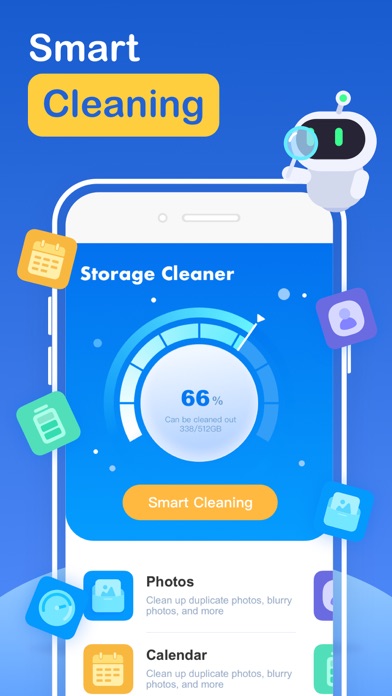
1. Smart cleaning
Smart cleaning helps you search and filter related data such as picture information, address book information, calendar information, etc. You can manage multiple types of data at one time through the one-click cleaning function.
2. Picture management
Picture management can help you analyze similar or duplicate picture resources in the system album, and can also help you analyze screenshots and other resources, and you can choose to delete them.
3. Address book management
Address book management helps you analyze and filter duplicate contacts, similar contacts, invalid contacts and other information, and you can merge these contacts with one click.
4. Swipe
You can quickly browse and filter the resources in the album. How to filter them? You only need to swipe left or right to distinguish them. After filtering, you can clear the pictures you don't like.
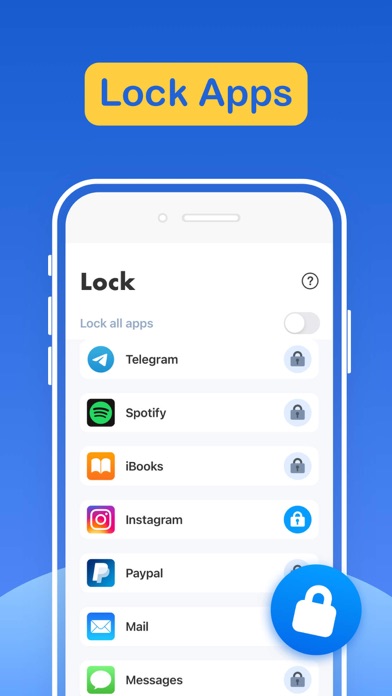
5. Lock App
You can choose which application to lock in the Lock module, and then follow the tutorial instructions to create Personal Automation using the Shortcuts application. Then, you can lock the app you specify so that others cannot peek into the privacy of your app.
6. Internet speed test
It only takes one click, and everything is automatically produced. After a short time test, you can get the downlink speed and uplink speed of the current network.
7. Widgets
Desktop widgets allow you to add network tests, memory usage, CPU usage, etc. to your desktop.
8. Calendar management
Calendar management can make it easier for you to manage events added to the calendar in history. The app provides a simple operation method that allows you to delete unnecessary events very easily.
9. Mobile phone optimization guide
Here you can learn how to find unused apps, how to delete useless apps, and some common social software optimization methods.
For unlocking all features and content, Premium Membership offers one auto-renewable subscription options:
Weekly payment and annual payment subscription options.
- Payment will be charged to iTunes Account at confirmation of purchases.
- Subscription automatically renews unless auto-renew is turned off at least 24 hours before the end of the current period.
- Account will be charged for renewal within 24-hours prior to the end of the current period, and identify the cost of the renewal.
- Subscriptions may be man