Top Widgets⁺ Icons & Themes

Top Widgets⁺ Icons & Themes Summary
Top Widgets⁺ Icons & Themes is a free, with in-app purchases iOS app in Tools by Chengdu Tiange Technology Co., Ltd. Released in Apr 2023 (3 years ago). It has 1.2M ratings with a 4.75★ (excellent) average. Based on AppGoblin estimates, it reaches roughly 3.7M monthly active users and generates around $100K+ monthly revenue (100% IAP / 0% ads). Store last updated Oct 27, 2026
Recent activity: 30 new ratings this week View trends →
SDK intelligence: AppGoblin detected 10 ad networks(e.g. Google), 5 development tools,and 1 analytics: product integrated into Top Widgets⁺ Icons & Themes. View full SDK list →
Top Widgets⁺ Icons & Themes SDKs Summary
Top Widgets⁺ Icons & Themes was last scanned for SDKs on 2026-10-07. Below is the overview of third-party companies detected in the app. The full list of SDKs, permissions and unknowns is available here.
 Google
 Facebook
 AdMob
AdMob Airbnb Engineering
 Alamofire
 Apollo
 Firebase
4.75★
Ratings: 1.2M
Screenshots

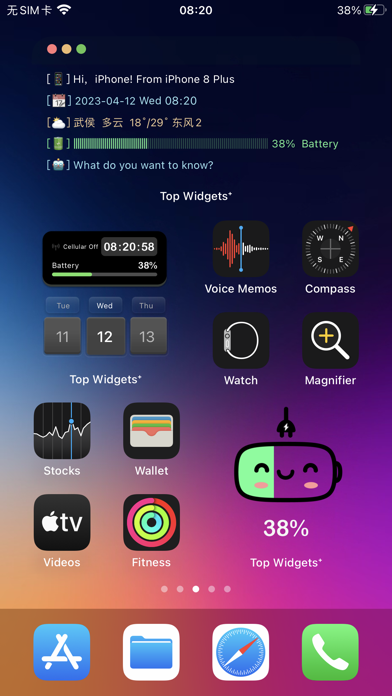


App Description
▶ New for OS27: Extra-Large Widgets ◀
▶ Featured on the App Store · Loved by Millions ◀
▶ 5,000+ Original Designs, Updated Continuously ◀
Built for OS27. TopWidgets⁺ now supports the new extra-large portrait widget, giving your Home Screen a full-page canvas for more information, richer layouts, and a bolder personal style.
Choose from fresh designs by 5,000+ professional creators. Match your widgets, wallpapers, icons, and themes to your day—then fine-tune the details to make your iPhone unmistakably yours.
【What’s New for OS27】
Extra-Large Widgets: Fill an entire portrait Home Screen page with a spacious layout made for at-a-glance information.
More Room, Better Layouts: See schedules, photos, clocks, and everyday essentials together without squeezing the design.
Four Sizes, Your Choice: Browse and customize small, medium, large, and extra-large widgets for every space.
Create and Share: Preview your extra-large widget while editing and turn your creation into a Live Photo to share.
【Key Features】
X-Panel: Real-time display of battery, storage, network, and more—efficient and stylish.
Work Calendar: Record daily moods and mark emotional states—an essential for every busy professional.
Mood Tracker: Instantly log your current mood on the home screen to stay in tune with your emotions.
Today: Clearly view and manage daily tasks so nothing important gets overlooked.
Quick Launch: One-tap access to your favorite apps and functions, boosting efficiency.
Step Counter: Syncs with HealthKit to display real-time steps, calories, and activity records.
Charging & Standby Effects: Fun charging animations and horizontal standby widgets that bring extra personality to your lock screen.
DIY Home Screen: Customize fonts, colors, and backgrounds to create limitless styles.
【HealthKit】- TopWidgets⁺ has integrated with HealthKit to synchronize health data into the app. When you record daily step data in TopWidgets⁺, we will request HealthKit data permission to display exercise data in step-related widgets.
【Location Information】- When using the weather widget, we need to obtain location permission to display the required information for the current widget.
【Photo Permission】- When adding a background image to a widget, we need to obtain photo permission to upload the background image. This permission is also required