Speech To Text: Transcription

Speech To Text: Transcription Summary
Speech To Text: Transcription is a free, with in-app purchases iOS app in Business by 嘉 王. Released in Apr 2023 (3 years ago). It has 522 ratings with a 4.74★ (excellent) average. Based on AppGoblin estimates, it reaches roughly 3.6K monthly active users and generates around $<10K monthly revenue (100% IAP / 0% ads). Store last updated Aug 27, 2025
Speech To Text: Transcription SDKs Summary
App not yet scanned for SDKs.
4.74★
Ratings: 522
Screenshots


App Description
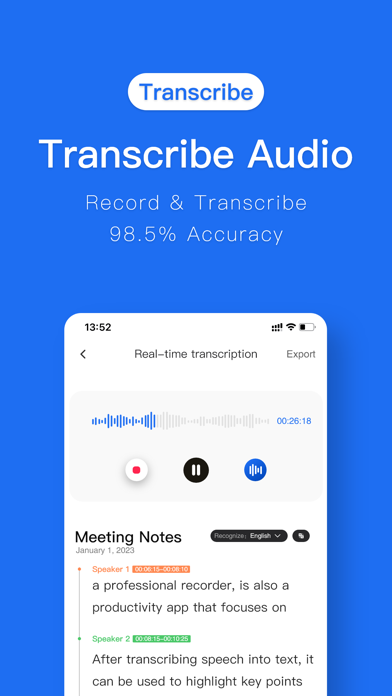
Turn your voice into text, instantly. Record meetings, transcribe audio files, and convert video to text with powerful AI. Your all-in-one transcription and voice tool.
---
ALL-IN-ONE AUDIO & VIDEO TOOLS
Instant Transcription: Record and watch your words appear as text in real time.
Import Anything: Easily import audio or video files from your device, cloud storage (like iCloud Drive & Dropbox), or other apps for quick transcription.
Video-to-Text Made Easy: Extract spoken words from any video, from work webinars to your favorite TikToks.
Simultaneous Interpretation: Bridge language gaps with real-time translation during live conversations.
SMART AI-POWERED FEATURES
Automatic Formatting: Our AI intelligently adds punctuation, capitalization, and paragraphs to create clean, readable transcripts.
Speaker Identification: Automatically detects and labels different speakers (Speaker 1, Speaker 2) for clear, organized dialogue.
Instant Insights: Generate word clouds and summaries to find key topics at a glance. Click any keyword to jump directly to that moment in the audio.
EFFORTLESS EDITING & PLAYBACK
Interactive Transcripts: Tap a word in the text to instantly play the audio from that exact spot.
Smart Search: Quickly find specific quotes or keywords without scrubbing through hours of audio.
Variable Playback Speed: Listen back at a speed that works for you, from 0.5x to 2x.
Full Editing Suite: Correct any errors, tag speakers with custom names, and highlight important sentences.
A COMPLETE AUDIO SUITE
Audio Trimmer & Editor: Trim, split, or merge recordings. You can even add background music to create professional-grade audio.
Text-to-Speech (Dubbing): Convert your edited text back into speech with a variety of natural-sounding voices, speeds, and tones. Perfect for dubbing videos or creating voiceovers.
Audio Extractor: Easily pull the audio track from any video file, converting MP4 to MP3 with a single tap.
SEAMLESS SHARING & EXPORT
Export in Any Format: Share your work as a TXT, Word (.docx), or even PNG image file.
Share Anywhere: Quickly copy transcripts to your clipboard or share directly to other apps.
Cloud Sync: Securely back up your files to the cloud and access them across all your devices.
---
SUBSCRIPTION & TERMS
Payment will be charged to your Apple ID account at the confirmation of purchase. The subscription automa