Screen Mirroring to TV: DoCast

Screen Mirroring to TV: DoCast Summary
Screen Mirroring to TV: DoCast is a free, with in-app purchases iOS app in Tools by Electronic Team, Inc.. Released in Jun 2023 (3 years ago). It has 6.2K ratings with a 3.97★ (average) average. Based on AppGoblin estimates, it reaches roughly 15K monthly active users and generates around $<10K monthly revenue (100% IAP / 0% ads). Store last updated Sep 17, 2026
Recent activity: 8.00 new ratings this week View trends →
SDK intelligence: AppGoblin detected 2 ad networks(e.g. Google), 2 development tools, 1 analytics: product,and 1 business tools integrated into Screen Mirroring to TV: DoCast. View full SDK list →
Screen Mirroring to TV: DoCast SDKs Summary
Screen Mirroring to TV: DoCast was last scanned for SDKs on 2026-09-18. Below is the overview of third-party companies detected in the app. The full list of SDKs, permissions and unknowns is available here.
 Google
 Facebook
 nanopb
 Firebase
 RevenueCat
3.97★
Ratings: 6.2K
Screenshots



App Description
DoCast is a great screen mirroring app for iPhone and iPad that allows you to mirror screen to any Smart TV in high quality with no delay.
Seamlessly mirror, connect iPhone to Smart TV, and easily stream any media content, whether it's music, videos, or photos.
How to screen mirror iPhone to Smart TV:
1. Open DoCast and select your device from the list of available.
2. Press the "Screen" button on the main screen of DoCast to start screen mirroring.
3. Configure the settings with which mirroring will occur and tap the "Start mirroring" button.
4. Tap the "Stop mirroring" button on the DoCast screen to stop screen mirroring.
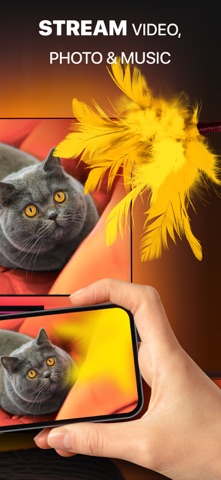
If you want to cast from iPhone to TV, simply tap the corresponding button - Videos, Photos, or Music - on the main screen of DoCast, and choose the content you want to stream.
Note: While streaming/mirroring, make sure that your iPhone/iPad is connected to the same router and Wi-Fi network as the cast device.
Key Features of DoCast:
- Screen share iPhone to TV with exceptional picture quality, and extend your experience by casting iPhone to any Smart TV or streaming device.
- Take control of your viewing experience with adjustable video quality settings and auto-rotation, ensuring everything looks just right.
- Enjoy low-latency screen mirroring with delays lower than one second when on a robust Wi-Fi connection, providing real-time interaction.
- Cast iPhone to TV, stream unlimited photos for free from your device's library, and enjoy your favorite videos and music on your Smart TV or speakers.
Note: The screen mirroring feature is available only in the paid version of the app. In the free version of DoCast, there are no limits for photo casting, music sessions last up to 15 minutes, and video sessions are limited to 3 minutes.
Broad Compatibility:
DoCast seamlessly connects your iPhone or iPad to a variety of devices, including:
Smart TVs: Samsung TV, LG TV, Sony TV, Hisense TV, Panasonic TV, and other DLNA-enabled TVs.
Roku Devices: Roku Streaming Players and Roku TVs (TCL, Hisense, Sharp, Philips, etc.)
Chromecast Family: All generations, including TVs with Chromecast built-in (Sony, Vizio, Hisense, Sharp) and Google TV Streamer.
Fire TV devices: TVs with in-built Fire TV, including Insignia, Toshiba, and Amazon Fire TV Smart TVs.
Other Devices: Xiaomi Mi Box, Nvidia Shield TV, and other Android TV boxes.
Terms of Use and