S3 Client - Files location

S3 Client - Files location Summary
S3 Client - Files location is a free, with in-app purchases iOS app in Productivity by Anders Borum ApS. Released in Jun 2023 (3 years ago). It has 158 ratings with a 4.71★ (excellent) average. Based on AppGoblin estimates, it reaches roughly 532 monthly active users and generates around $<10K monthly revenue (100% IAP / 0% ads). Store last updated Oct 2, 2026
Recent activity: 1.00 new ratings this week View trends →
S3 Client - Files location SDKs Summary
App not yet scanned for SDKs.
4.71★
Ratings: 158
Screenshots




App Description
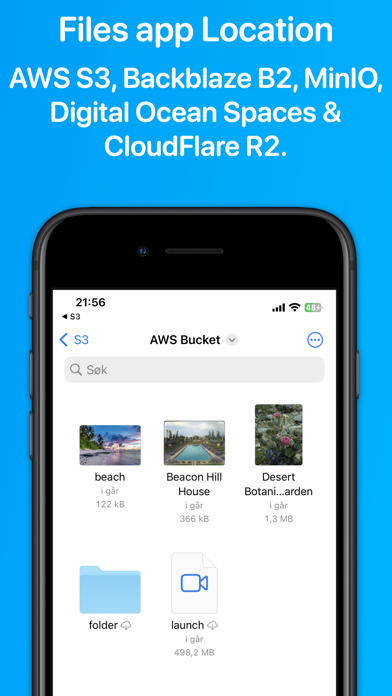
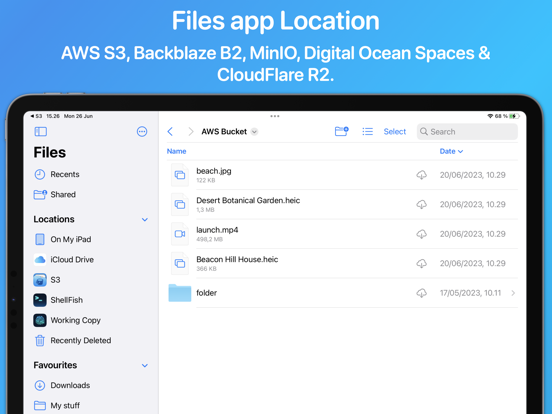
Access your S3 storage directly from the Files app, Finder, and other applications on iPhone, iPad, and Mac. Developed by the creator of Working Copy, this application provides seamless integration with S3-compatible storage services.
Once configured, S3 buckets appear alongside other cloud storage providers, with files available on demand. Files are downloaded as needed and automatically synchronized back to S3 when modified.
The app supports a wide range of S3-compatible services, including AWS S3, BackBlaze B2, CloudFlare R2, DigitalOcean Spaces, MinIO, and others.
Files and directories can be uploaded through the system share sheet on iOS and the Services menu on macOS. The app remembers preferred upload destinations for different file types, streamlining file management.
Pre-signed sharing links can be generated directly from Finder and the Files app, allowing temporary access to files for up to seven days.
Support for server-side encryption with customer-provided keys (SSE-C) and client-side AES-GCM encryption compatible with the Amazon S3 Encryption Client.
Comprehensive support for Shortcuts automation enables operations such as listing, downloading, uploading, and moving files.
The app is free to use with a single server. A Pro Unlock is required for multiple servers, available as a one-time purchase or a monthly subscription, with access shared across iPhone, iPad, and Mac. A one-week free trial allows users to evaluate Pro features before purchase.