Text to Photos

Text to Photos Summary
Text to Photos is a free, with in-app purchases iOS app in Photo And Video by Laxay Gajera. Released in Feb 2024 (2 years ago). It has 24 ratings with a 4.83★ (excellent) average. Based on AppGoblin estimates, it reaches roughly 12 monthly active users and generates around $<10K monthly revenue (100% IAP / 0% ads). Store last updated Sep 28, 2025
Text to Photos SDKs Summary
App not yet scanned for SDKs.
4.83★
Ratings: 24
Screenshots


App Description
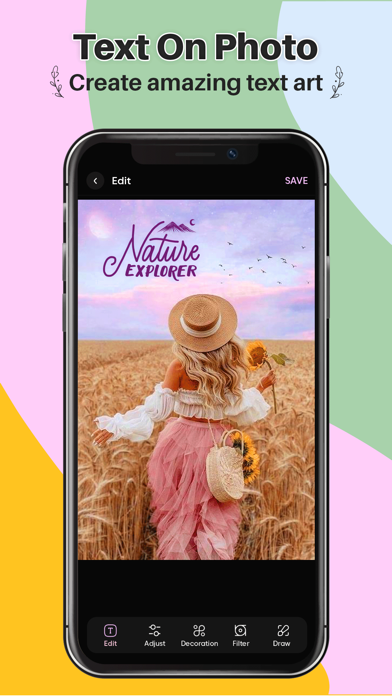
Add Text to photo is the all-in-one tool for text creation. Texts can be added to a photo, gradient, solid color or a transparent background
This application is designed intensively for the purpose of adding text and editing text on photos, helping you unleash your creativity to make your photos more interesting.
Easily add captions, witty phrases or emotional quotes to your photos, with lots of beautiful and unique fonts.
After editing, you can save the photos and use them as phone wallpapers, profile pictures, birthday cards.Add Text to photo use this
Do you want to put words on pictures and need a free write on pictures app?
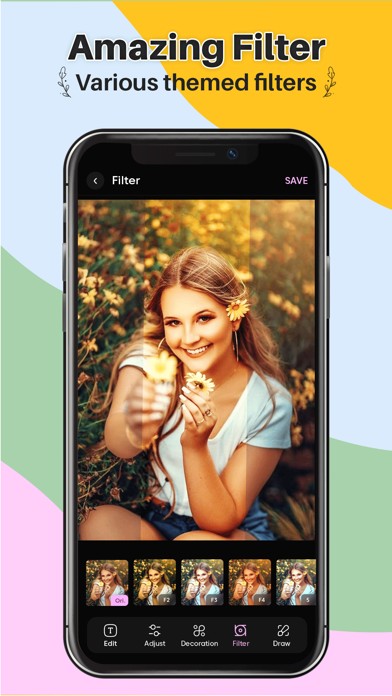
Want to also use powerful photo editing filters and tools besides putting text on photos?
Whether you want to add a caption, convey a message, or simply enhance the visual appeal of your pictures, our app provides a user-friendly platform to express your creativity.
You found the solution - Text Art - Add Text to Photos App, which is a powerful, simple, and unique photo text editor. Enhance your photos by adding sleek text on photos with fonts and style with one of the best apps to add text to photos in 2024.
Key Features:
1) Intuitive Interface: Our application boasts a sleek and intuitive interface designed for users of all levels. Adding text to your photos has never been this easy and enjoyable. Add Text to photo
2) Customizable Text: Personalize your images by choosing from a variety of fonts, colors, and sizes. Tailor the text to suit your style and create visually stunning compositions.
3)Text Effects: Elevate your photos with a range of text effects, including shadows, outlines, and gradients. Experiment with different styles to make your text pop and seamlessly integrate with your images.
4)Alignment and Positioning: Precisely position your text with alignment and positioning tools. Whether you prefer it centered, aligned to the left or right, or placed at a specific angle, our app gives you full control.Add Text to photo
5)Background Options: Enhance readability by adjusting the background behind your text. Choose from transparent, solid color, or even add a background image to make your text stand out.
6)Multiple Layers: Take your creativity to the next level by adding multiple layers of text. Arrange and stack them to create intricate designs and convey complex messages.
7)Undo/Redo: Experiment fearlessly w