Ad Blocker Pro: Safari & DNS

Ad Blocker Pro: Safari & DNS Summary
Ad Blocker Pro: Safari & DNS is a paid iOS app in Tools by CloudEx Inc.. Released in May 2023 (3 years ago). It has 16 ratings with a 4.50★ (excellent) average. Based on AppGoblin estimates, it reaches roughly 590 monthly active users . Store last updated Oct 9, 2026
Ad Blocker Pro: Safari & DNS SDKs Summary
App not yet scanned for SDKs.
4.5★
Ratings: 16
Screenshots



App Description
Ad Blocker Pro - a cleaner, faster, more private browsing experience.
Ad Blocker Pro applies the same 240,000 blocking rules in Safari and in the app's built-in browser. Either way ads are practically gone - on almost every site, not a single ad gets through. On-device DNS protection adds to that, blocking known tracker domains and encrypting your DNS traffic.
Ad blocking in Safari
Just turn on the Safari extension and ads practically vanish from the Safari you already use. 240,000 rules go to work, and on almost every site not a single ad is shown.
- 190,000 blocking rules: banners, video ads and pop-ups are stopped before they load. The request never happens, so pages open faster and use less data.
- 26,000 element-hiding rules: the frames and gaps the ads used to sit in are removed, so the page closes up neatly.
- 16,000 advanced rules: they handle ads injected by scripts and ad-block detection, with dedicated rules for 35,000 sites.
- 22,000 exception rules: the traffic a site genuinely needs is let through, so pages keep working.
Built-in ad-blocking browser
The app also includes its own browser, applying the same rules at the same strength as Safari. There is no extension to set up - ads are practically gone from the moment you install.
- Multiple tabs and tab pinning: switch freely between tabs and pin the pages you use most.
- Intuitive gesture controls: swipe to switch tabs, go back or forward, or close a tab.
- Private tabs: browse without leaving any history.
- Desktop site: switch a stripped-down mobile page to its desktop version.
- Find in page: locate a word in a long article in seconds.
- Downloads and bookmarks: save files and keep the pages you return to.
- Voice search: search by speaking, without the keyboard.
- History: retrace the pages you want to look at again.
- Open just the browser: press and hold the app icon and choose Browser to jump straight into the built-in browser. You can also make a dedicated icon with the Shortcuts app.
- Autofill integration: your IDs and passwords work with iOS Password AutoFill.
DNS protection
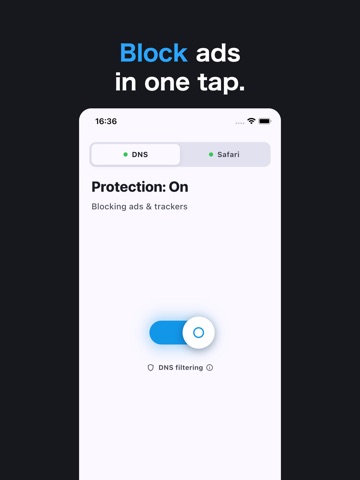
On-device DNS protection uses a blocklist of 160,000 entries to stop known tracker domains before they load, and encrypts your DNS lookups with DNS-over-HTTPS, so which sites you visit stays hidden from third parties. Everything happens on your device - your traffic is never routed through our servers, and yo