Reminder Butler - Chat with AI

Reminder Butler - Chat with AI Summary
Reminder Butler - Chat with AI is a free, ad-supported iOS app in Productivity by Yoshinori Tsuchiya. Released in May 2023 (3 years ago). It has 1.00 ratings with a 3.00★ (mixed) average. Based on AppGoblin estimates, it reaches roughly 4.00 monthly active users and generates around $<10K monthly revenue (0% IAP / 100% ads). Store last updated May 7, 2023
Reminder Butler - Chat with AI SDKs Summary
App not yet scanned for SDKs.
3★
Ratings: 1.00
Screenshots

App Description
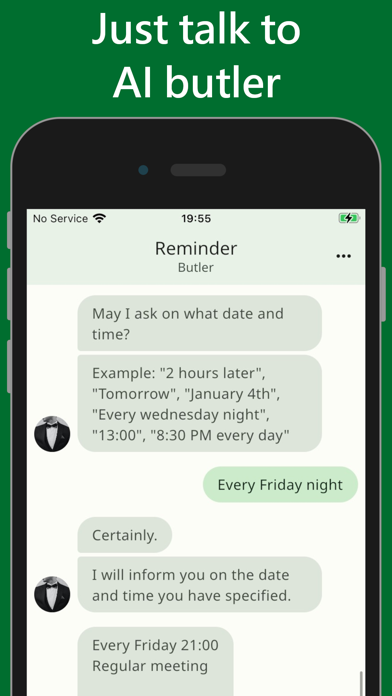
Your AI butler remembers your conversations and sends you local notifications when it's time for your scheduled tasks. You can easily view all your reminders with just one tap, and customize your butler's avatar and responses to make it more personal. Say goodbye to forgotten appointments and missed deadlines with Reminder Butler!
With the Reminder Butler app, you can:
• Intuitively register reminders through chat conversations with an AI butler
• Registration is easy - just tell the AI butler the date and time of the desired reminder through chat
• The AI butler remembers the chat conversations and notifies you with local notifications when the scheduled time arrives
• Scheduled reminders communicated to the AI butler can be easily checked with a single phrase
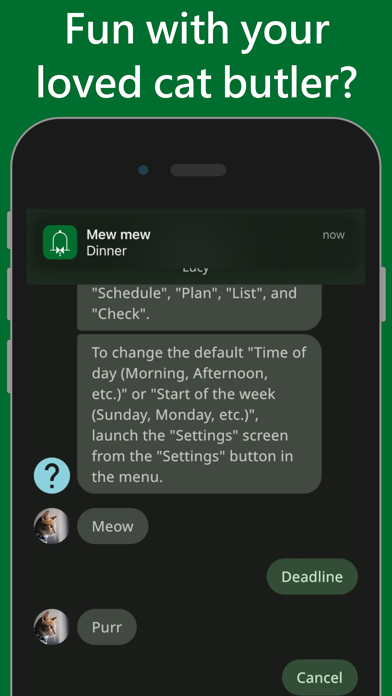
• The avatar image of the AI butler can be changed to a preferred photo
• Each response from the AI butler within the chat conversation can be freely changed
Help:
• To register your schedule, send messages such as "Dinner with my wife", "Fitness time", or "Manuscript deadline"
• Notifications will be sent on the date and time of the registered schedule
• Messages for "Today", "Tomorrow", "Day after tomorrow", "Day of the week (Monday, Tuesday, etc.)", "AM", "PM", "Every day", "Every week", "Every month", "Every year", "Next week", "Next month", "Next year", "Morning", "Afternoon", "Evening", and "Night" are valid. Invalid combinations will not be accepted
• The current schedules are displayed with the "Reminder" button in the menu or the messages of "Reminder", "Schedule", "Plan", "List", and "Check"
• To change the default "Time of day (Morning, Afternoon, etc.)" or "Start of the week (Sunday, Monday, etc.)", launch the "Settings" screen from the "Settings" button in the menu