JPEG-MP4 Convert Photo & Video

JPEG-MP4 Convert Photo & Video Summary
JPEG-MP4 Convert Photo & Video is a free iOS app in Photo And Video by kenji hara. Released in May 2023 (3 years ago). Store last updated Mar 6, 2025
JPEG-MP4 Convert Photo & Video SDKs Summary
App not yet scanned for SDKs.
0★
Ratings:
Screenshots



App Description
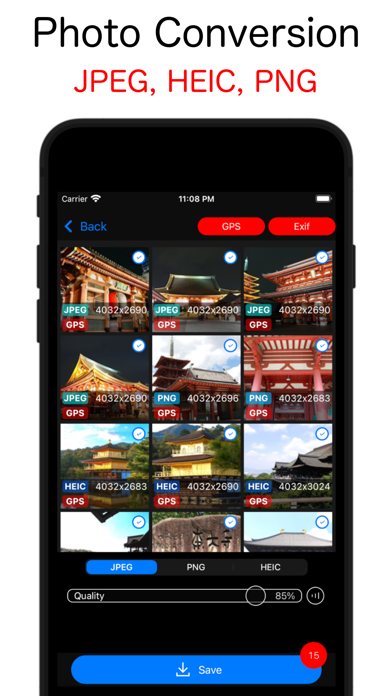
□ Photos → Photos: Convert to JPEG, HEIC, PNG.
□ Video → Video : Convert to MP4, MOV, LivePhoto.
□ Video → Photos: Convert to JPEG, HEIC, PNG.
■ You can save the GPS and Exif information of the conversion source in the converted photos and videos.
[How to use photo conversion]
1. Tap the boot screen photo button.
2. Tap or swipe horizontally to select a photo. Tap Convert button.
3. Select the format to save (JPEG, PNG, HEIC) and tap Save button.
※ If you want to include the GPS and Exif of the conversion source in the photo after conversion, turn on the GPS and Exif.
Note) If you save a photo with a transparent background as JPEG, the transparent part will be saved in white.
[How to use video conversion]
1. Tap the boot screen video button.
2. Tap to select a video.
3. Select the format to save (MP4, MOV, LivePhoto) and tap Save Button.
※ Compress the video by adjusting the bitrate.
Note) Depending on the video, it may not be possible to compress to the specified bitrate.
[How to use video captures]
1. Tap the boot screen video button.
2. Tap to select a video.
3. Tap Photo button.
4. Move the timeline to move to the time you want to cut out the photo from the video.
5. Tap burst button and stock photos to save.
※ Press and hold "Burst" button to stock photos by frame or second.
6. Select the format to save (JPEG, PNG, HEIC) and tap Save button. Save stock photos.