Bubble Level - Measure Tool

Bubble Level - Measure Tool Summary
Bubble Level - Measure Tool is a ad-supported, with in-app purchases iOS app in Tools by Vicki Partridge. Released in Jun 2023 (3 years ago). It has 94 ratings with a 4.47★ (good) average. Based on AppGoblin estimates, it reaches roughly 252 monthly active users and generates around $<10K monthly revenue (33% IAP / 67% ads). Store metadata: updated May 1, 2026.
Store info: Last updated on App Store on May 1, 2026 .
4.47★
Ratings: 94
Screenshots


App Description
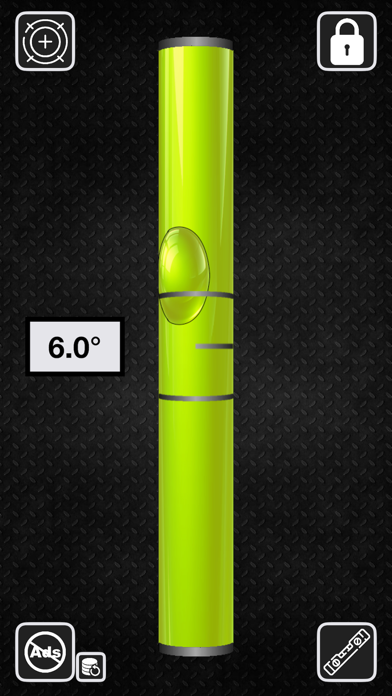
Turn your iPhone into a high-precision bubble level, angle gauge, and measuring tool. Whether you're mounting shelves, aligning frames, laying tile, or building a deck, this app gives you professional accuracy on the go.
Use your device to check if surfaces are level, plumb, or at a specific angle. Get real-time tilt readings in degrees with the built-in inclinometer, or calibrate your phone to another object for relative alignment. This versatile tool is perfect for any construction, home improvement, or DIY project.
Features:
• Live angle measurement with digital inclinometer
• Classic bubble view for horizontal and vertical levels
• Built-in plumb checker for vertical surfaces
• 360° surface alignment support in any orientation
• Independent calibration or object-relative zeroing
• Clear visual tilt display with smooth responsiveness
• Clean, modern interface — no clutter or ads
• Works in portrait and landscape modes
Ideal for contractors, handymen, and DIYers alike, this tool makes it simple to measure, align, and build with confidence. Whether you're working inside or outside, this app gives you the accuracy of a hardware level — right on your iPhone.
Download now and make every angle perfect with the easiest leveling tool you'll ever use.
EULA:
https://www.apple.com/legal/internet-services/itunes/dev/stdeula/