Draw Easy: Trace to Sketch

Draw Easy: Trace to Sketch
Developer: Kushal Patel
Category: Tools
~3.9K - 7.7K
77 ratings
Draw Easy: Trace to Sketch icon

ASO Keyword Dashboard

Tracking 98 keywords for Draw Easy: Trace to Sketch in Apple App Store

Developer: Kushal Patel Category: tools Rating: 3.3

Draw Easy: Trace to Sketch tracks 98 keywords (no keywords rank yet; 98 need traction). Key metrics: opportunity 52.7, difficulty 42.3.

Tracked keywords

98

0  ranked •  98  not ranking yet

Top 10 coverage

Best rank — • Latest leader —

Avg opportunity

52.7

Top keyword: easy

Avg difficulty

42.3

Lower scores indicate easier wins

Opportunity leaders

  • easy

    Opportunity: 59.0 • Difficulty: 59.0 • Rank —

    Competitors: 1,246

    85.2
  • help

    Opportunity: 59.0 • Difficulty: 61.1 • Rank —

    Competitors: 1,236

    85.2
  • see

    Opportunity: 59.0 • Difficulty: 64.7 • Rank —

    Competitors: 1,122

    83.3
  • level

    Opportunity: 58.0 • Difficulty: 53.8 • Rank —

    Competitors: 638

    77.7
  • phone

    Opportunity: 58.0 • Difficulty: 59.2 • Rank —

    Competitors: 450

    74.7

Unranked opportunities

  • easy

    Opportunity: 59.0 • Difficulty: 59.0 • Competitors: 1,246

  • help

    Opportunity: 59.0 • Difficulty: 61.1 • Competitors: 1,236

  • see

    Opportunity: 59.0 • Difficulty: 64.7 • Competitors: 1,122

  • level

    Opportunity: 58.0 • Difficulty: 53.8 • Competitors: 638

  • phone

    Opportunity: 58.0 • Difficulty: 59.2 • Competitors: 450

High competition keywords

  • help

    Total apps: 5,873 • Major competitors: 1,236

    Latest rank: — • Difficulty: 61.1

  • easy

    Total apps: 5,849 • Major competitors: 1,246

    Latest rank: — • Difficulty: 59.0

  • see

    Total apps: 4,836 • Major competitors: 1,122

    Latest rank: — • Difficulty: 64.7

  • using

    Total apps: 4,473 • Major competitors: 924

    Latest rank: — • Difficulty: 61.4

  • different

    Total apps: 4,440 • Major competitors: 823

    Latest rank: — • Difficulty: 55.7

All tracked keywords

Includes opportunity, difficulty, rankings and competitor benchmarks

Major Competitors
level581005478

2,734 competing apps

Median installs: 274,625

Avg rating: 4.6

638

major competitor apps

easy591005985

5,849 competing apps

Median installs: 250,625

Avg rating: 4.6

1,246

major competitor apps

phone581005975

2,007 competing apps

Median installs: 269,575

Avg rating: 4.6

450

major competitor apps

whether581005979

3,139 competing apps

Median installs: 267,650

Avg rating: 4.6

715

major competitor apps

place581005473

1,689 competing apps

Median installs: 247,300

Avg rating: 4.6

371

major competitor apps

range581004871

1,314 competing apps

Median installs: 239,262

Avg rating: 4.6

261

major competitor apps

learn581005777

2,669 competing apps

Median installs: 250,600

Avg rating: 4.6

552

major competitor apps

transparent571004349

145 competing apps

Median installs: 181,525

Avg rating: 4.7

22

major competitor apps

simply581005273

1,724 competing apps

Median installs: 235,888

Avg rating: 4.6

356

major competitor apps

used581005372

1,494 competing apps

Median installs: 237,800

Avg rating: 4.6

279

major competitor apps

enhance581004769

1,161 competing apps

Median installs: 244,700

Avg rating: 4.6

220

major competitor apps

image581004666

796 competing apps

Median installs: 225,225

Avg rating: 4.6

142

major competitor apps

control581005476

2,353 competing apps

Median installs: 243,700

Avg rating: 4.6

466

major competitor apps

using581006183

4,473 competing apps

Median installs: 247,200

Avg rating: 4.6

924

major competitor apps

help591006185

5,873 competing apps

Median installs: 257,100

Avg rating: 4.6

1,236

major competitor apps

perfect581005681

3,777 competing apps

Median installs: 270,350

Avg rating: 4.6

813

major competitor apps

giving581004563

589 competing apps

Median installs: 247,550

Avg rating: 4.6

131

major competitor apps

surface571003246

102 competing apps

Median installs: 223,400

Avg rating: 4.6

19

major competitor apps

flow571003753

230 competing apps

Median installs: 235,462

Avg rating: 4.7

37

major competitor apps

apply581005566

829 competing apps

Median installs: 286,275

Avg rating: 4.7

183

major competitor apps

want581005882

4,034 competing apps

Median installs: 255,375

Avg rating: 4.6

840

major competitor apps

see591006583

4,836 competing apps

Median installs: 287,100

Avg rating: 4.6

1,122

major competitor apps

feature581005372

1,597 competing apps

Median installs: 260,400

Avg rating: 4.6

352

major competitor apps

achieve581004464

697 competing apps

Median installs: 225,025

Avg rating: 4.7

133

major competitor apps

work581005375

2,084 competing apps

Median installs: 265,425

Avg rating: 4.6

452

major competitor apps

98 keywords
1 of 4

App Description

Draw Easy : Trace & Sketch iOS

->What is Tracing?
- Tracing is used to transfer an image into line work from a photo or artwork. Simply place your tracing paper over the image and let your creativity flow as you trace the lines. So, Trace it & Sketch it.
- Using this app you can learn drawing or tracing.

-Whether you're a beginner or an aspiring artist, this app is your perfect companion for learning drawing and tracing.

-> So how does it works?
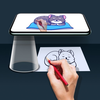
- Select an image from the gallery or capture an image with a camera, then simply apply the filter. Once applied, you will see the filtered image on the camera screen with transparency. Now, place a drawing paper or any desired surface on which you want to trace and draw. The image will not appear on the paper directly, but as a transparent overlay on the camera, allowing you to trace it accurately onto the paper.

- Draw on paper by looking at the phone with a transparent image.
- Select any image and convert it to a tracing image.

->Advance Filters.

1. Edge level : With Edge Level filter, you can control the sharpness and definition of edges in your drawings, giving them a different and professional look. Adjusting the Edge Level can help you achieve different artistic styles and emphasise specific details.

2. Contrast :The Contrast filter lets you enhance the tonal range in your drawings, making the colors appear more vibrant and the shadows and highlights more pronounced. It adds depth and richness to your artwork.

3. Noise: To tackle any unwanted noise in your drawings or images, we have included a Noise filter. This feature helps reduce graininess or pixelation, resulting in cleaner and smoother lines and surfaces.

4. Sharpness : The Sharpness filter enables you to enhance the overall clarity and crispness of your drawings. By adjusting the sharpness level, you can achieve a more defined and polished look, making your artwork stand out.

Enjoy Drawing....

Privacy Policy : http://cloudsync.xyz:8081/consent/policy/KP
Terms of Use : http://cloudsync.xyz:8081/consent/policy/TermsOfUse